線保持
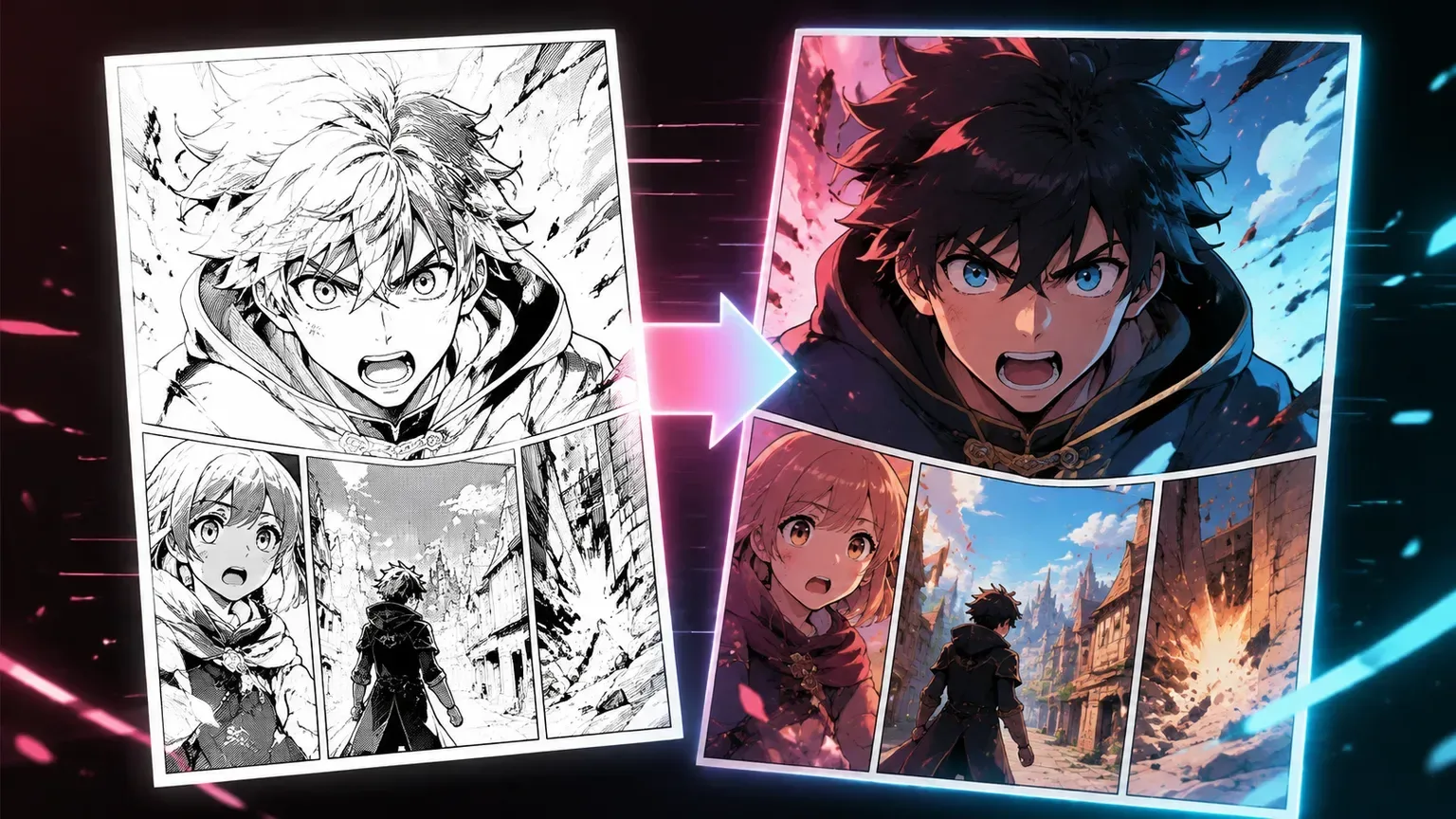
マンガ家にとって、線は描画そのもの。顔、髪の毛、スピード線、手描きの詳細がスタイルを定義する場合は線保持をオンに。
インク線、キャラクター、コマを保持しながら白黒マンガやアニメ線画に着色。
カラー決定
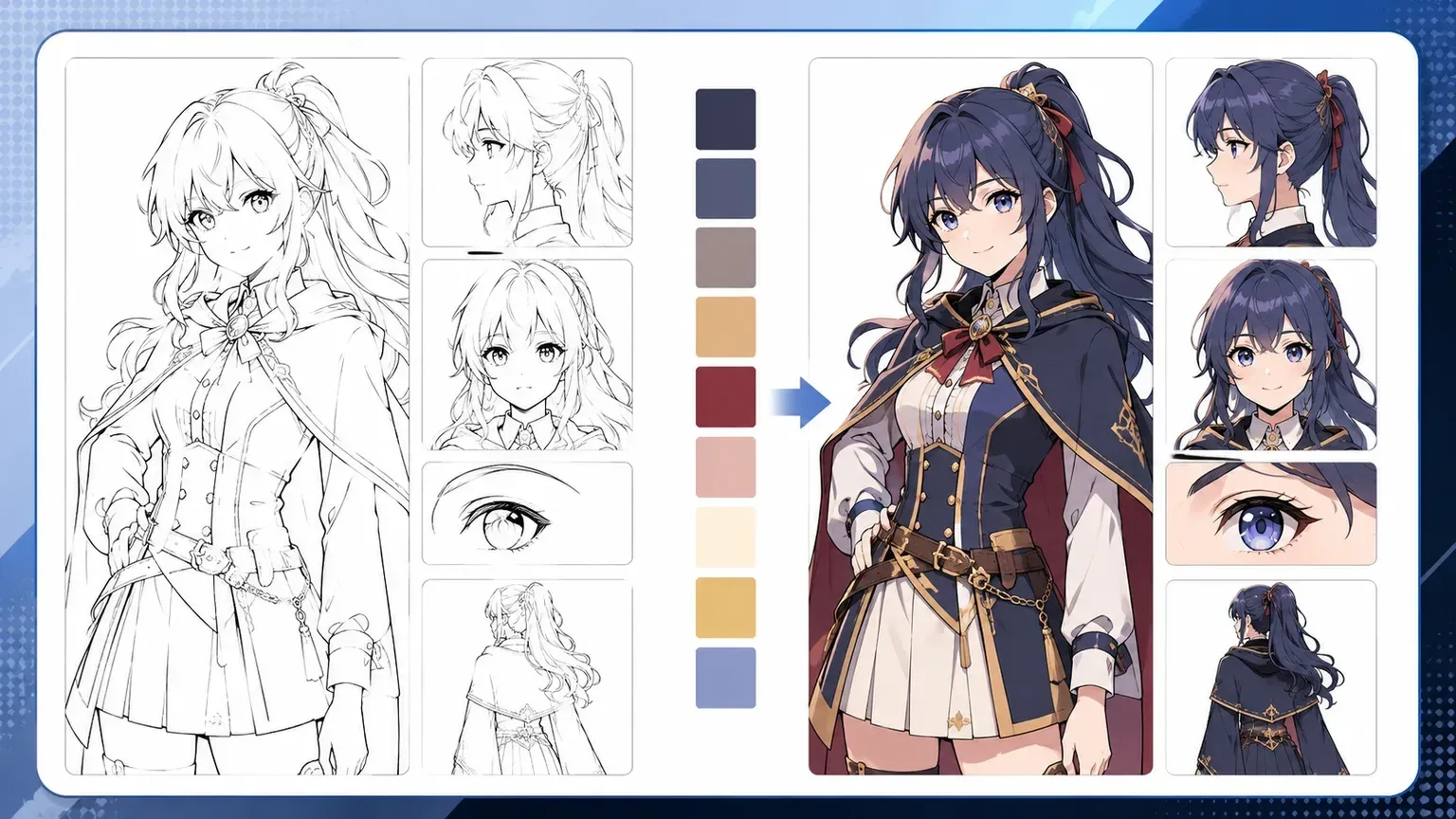
目標は単に明るい色を追加することではありません。マンガ着色には制御された境界、安定したパレット、アーティストのインクへの尊重が必要です。
マンガ家にとって、線は描画そのもの。顔、髪の毛、スピード線、手描きの詳細がスタイルを定義する場合は線保持をオンに。
AIに安定した色情報を提供:黒髪、赤いマフラー、ティールの目、暖かいラーメン店。これによりコマ間でのランダムなパレットを防止。
セルシェードはプロダクションをクリーンに保つ。ソフトアニメカラーはムードを追加するが、ソーススキャンが弱い場合はインクテクスチャーを滑らかにしすぎる可能性もある。
コアカラーコントロール
ワークフローは1つのジョブに集中:マンガ線画に色を追加し、描画、パレットの意図、コマの明瞭さを保持。
着色前と着色後
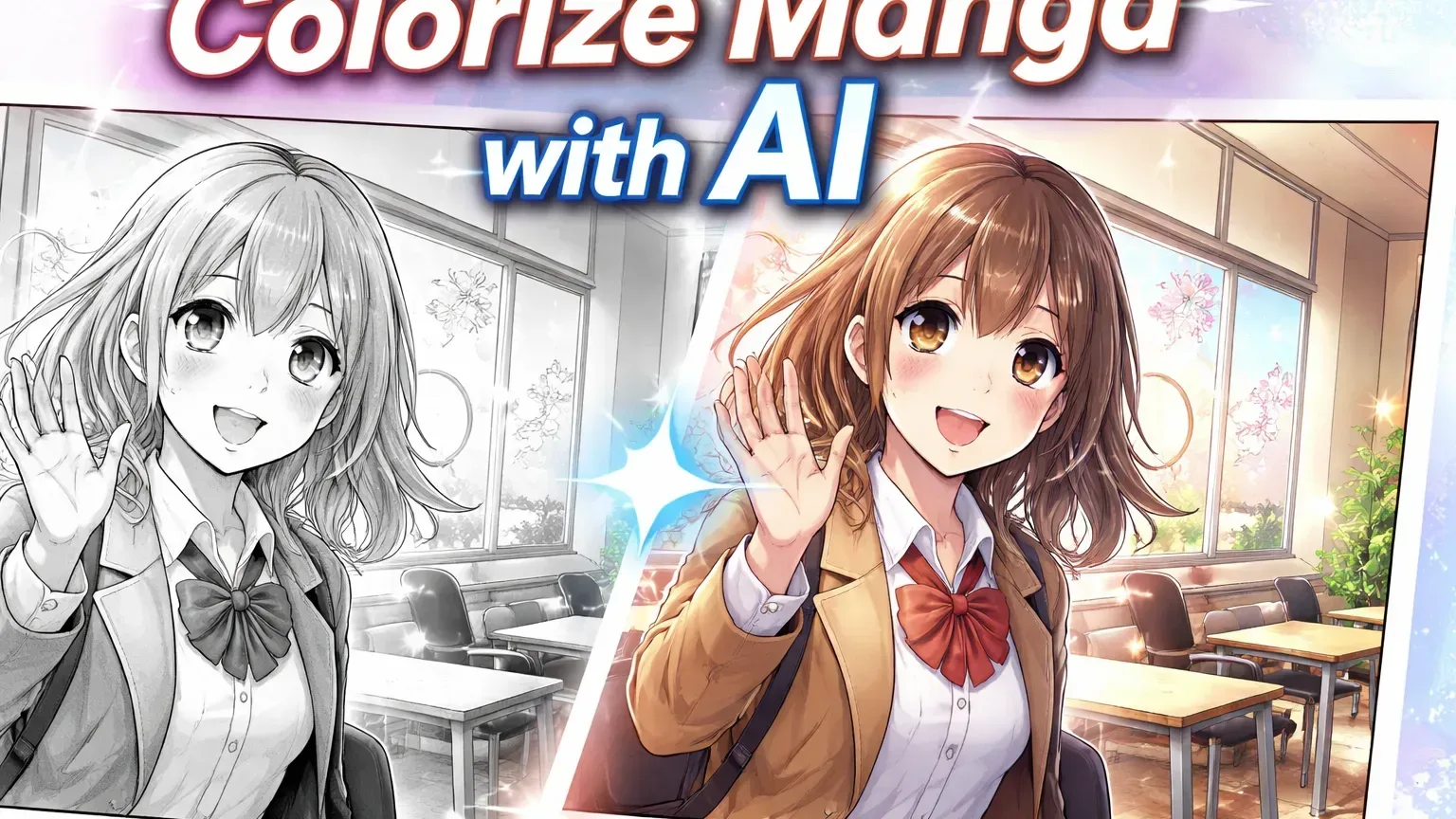
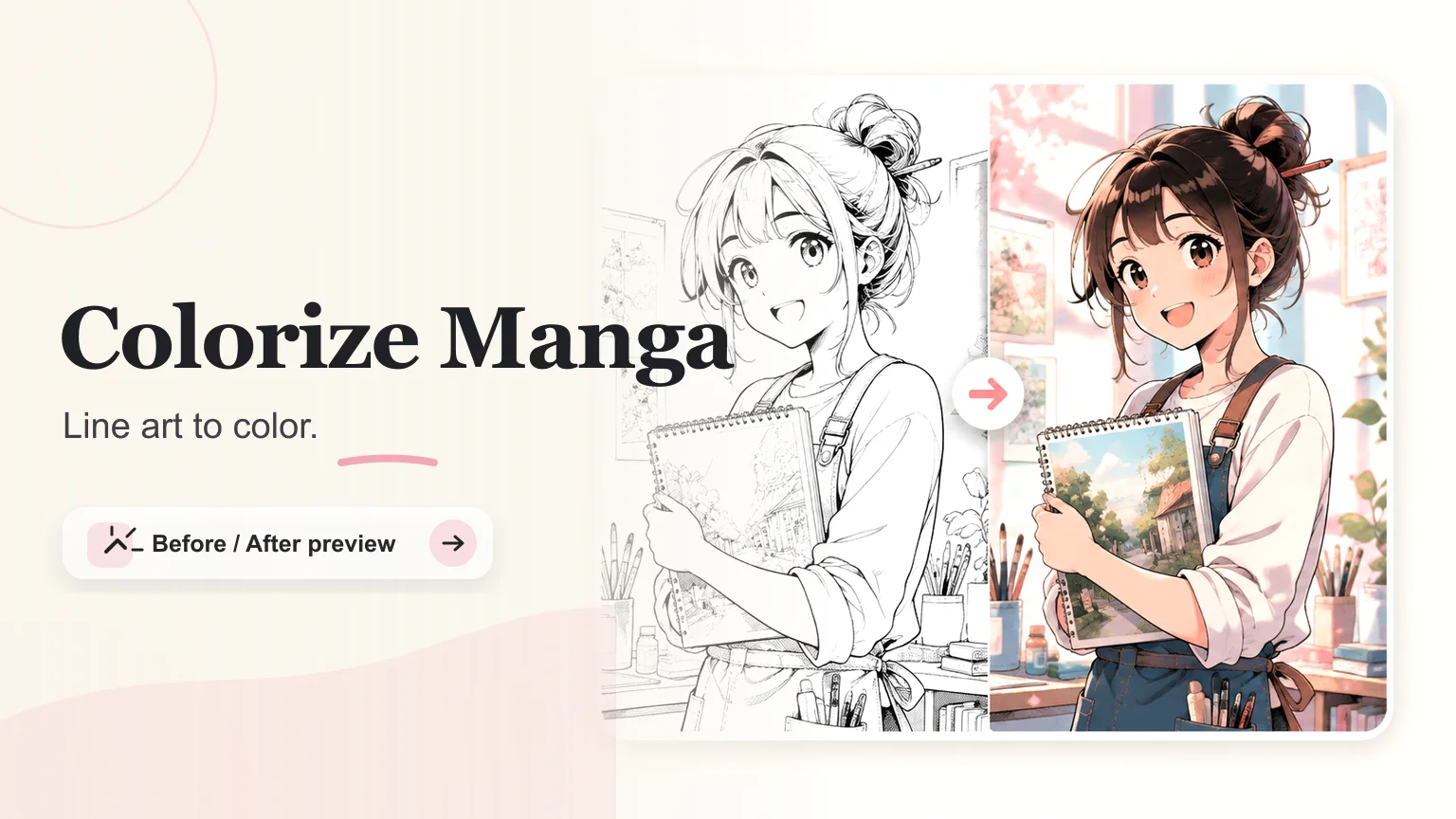
着色前と着色後を見比べ、線の鮮明さ、表情の保ち方、コマを塗りつぶさない色の入り方を確認できます。
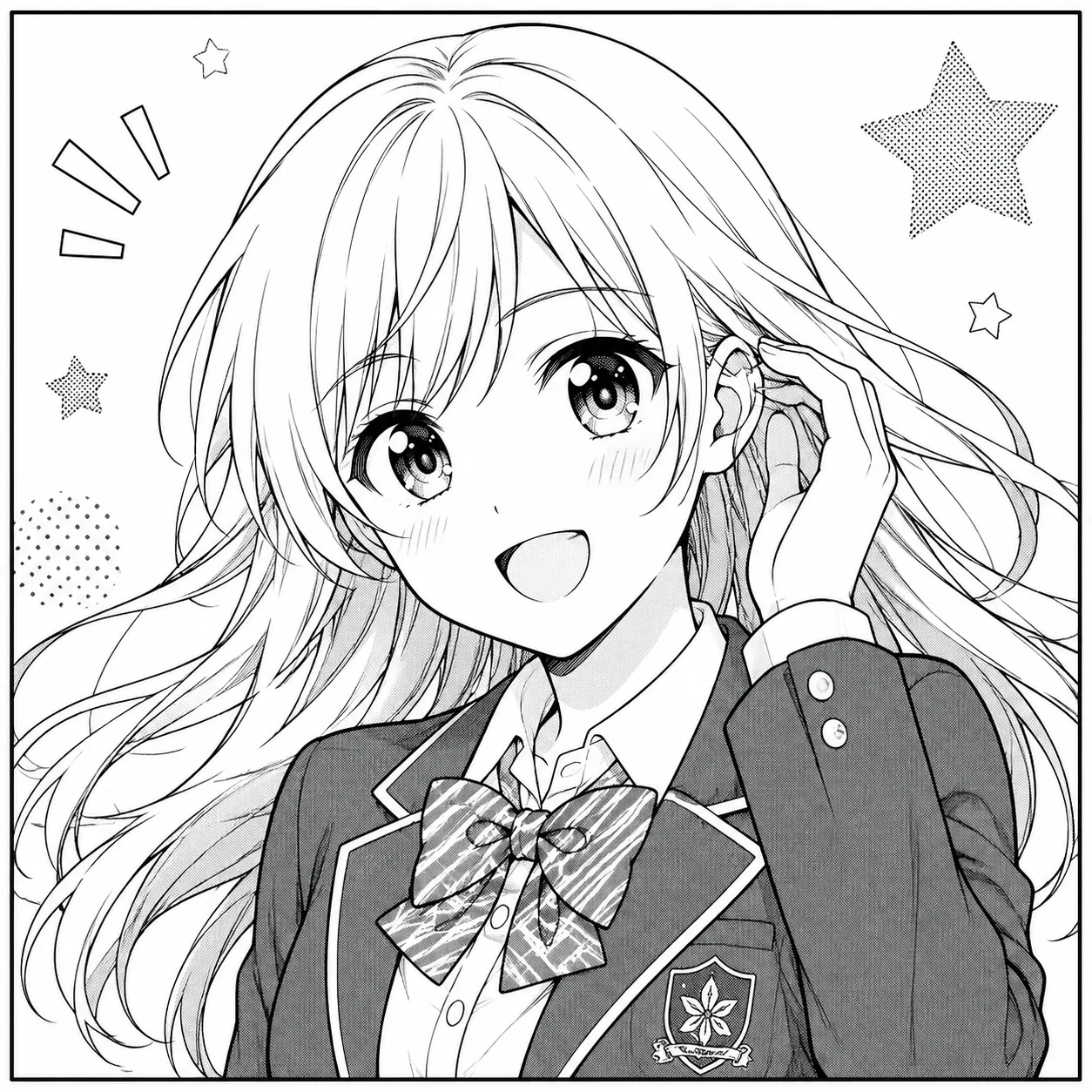 線画
線画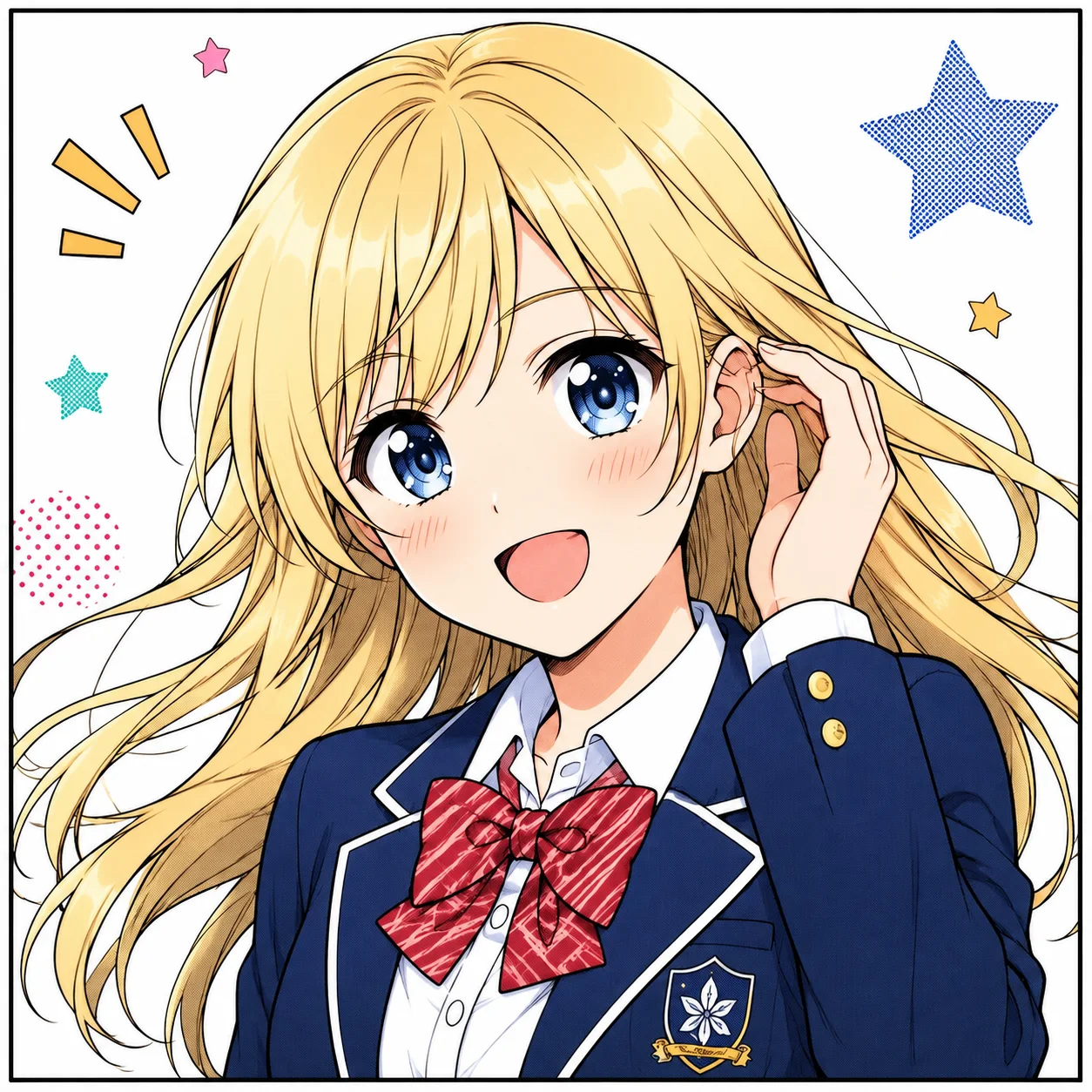 カラー
カラー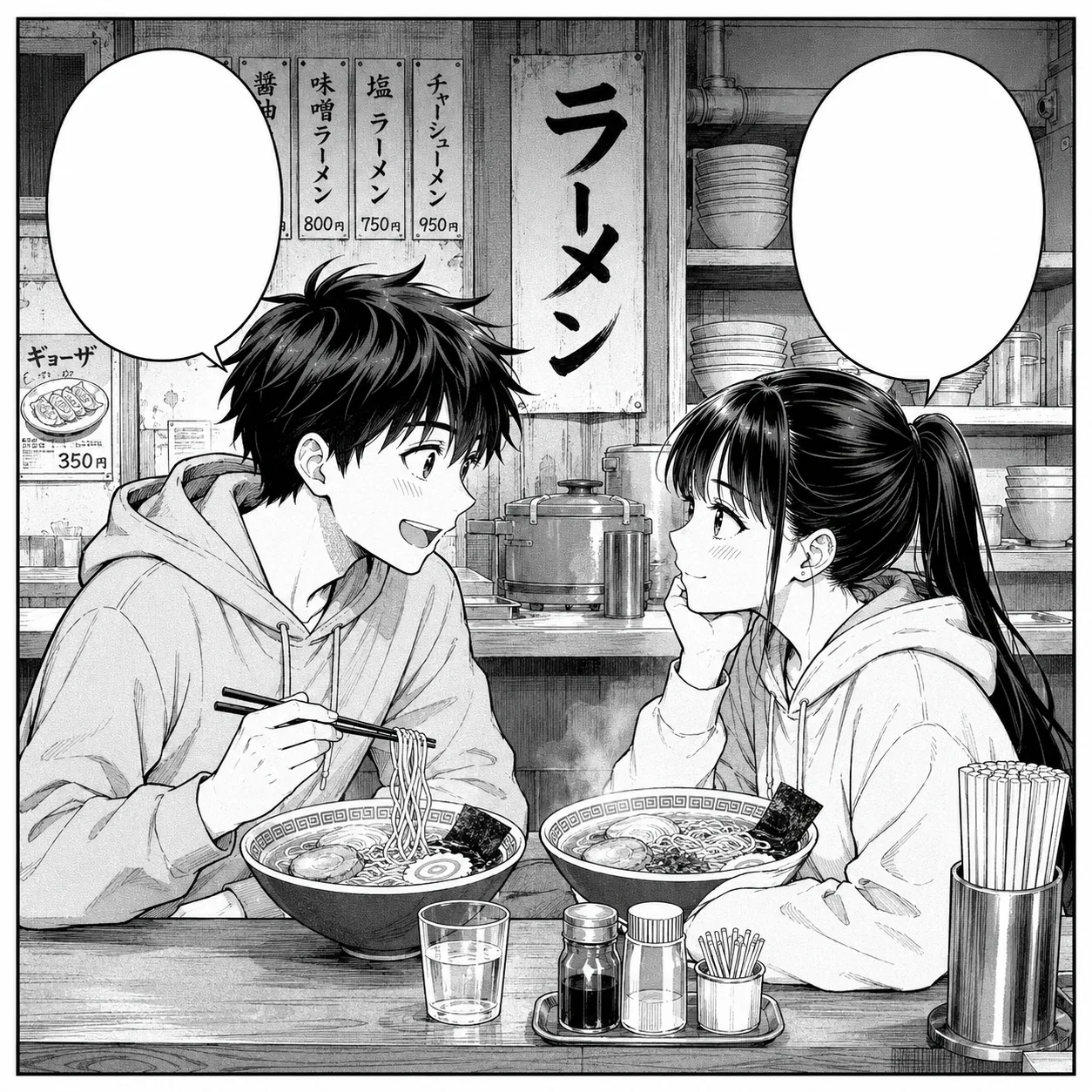 線画
線画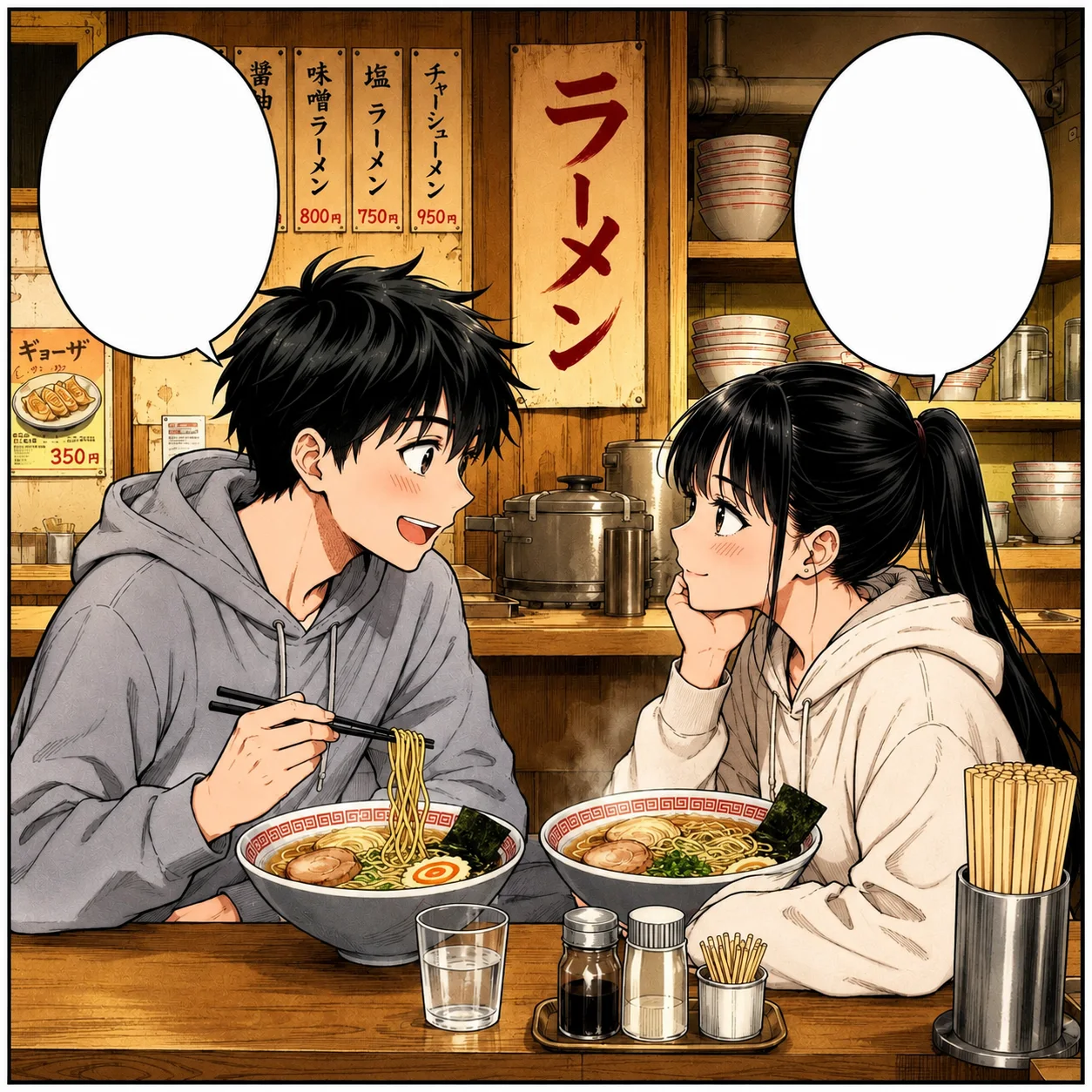 カラー
カラー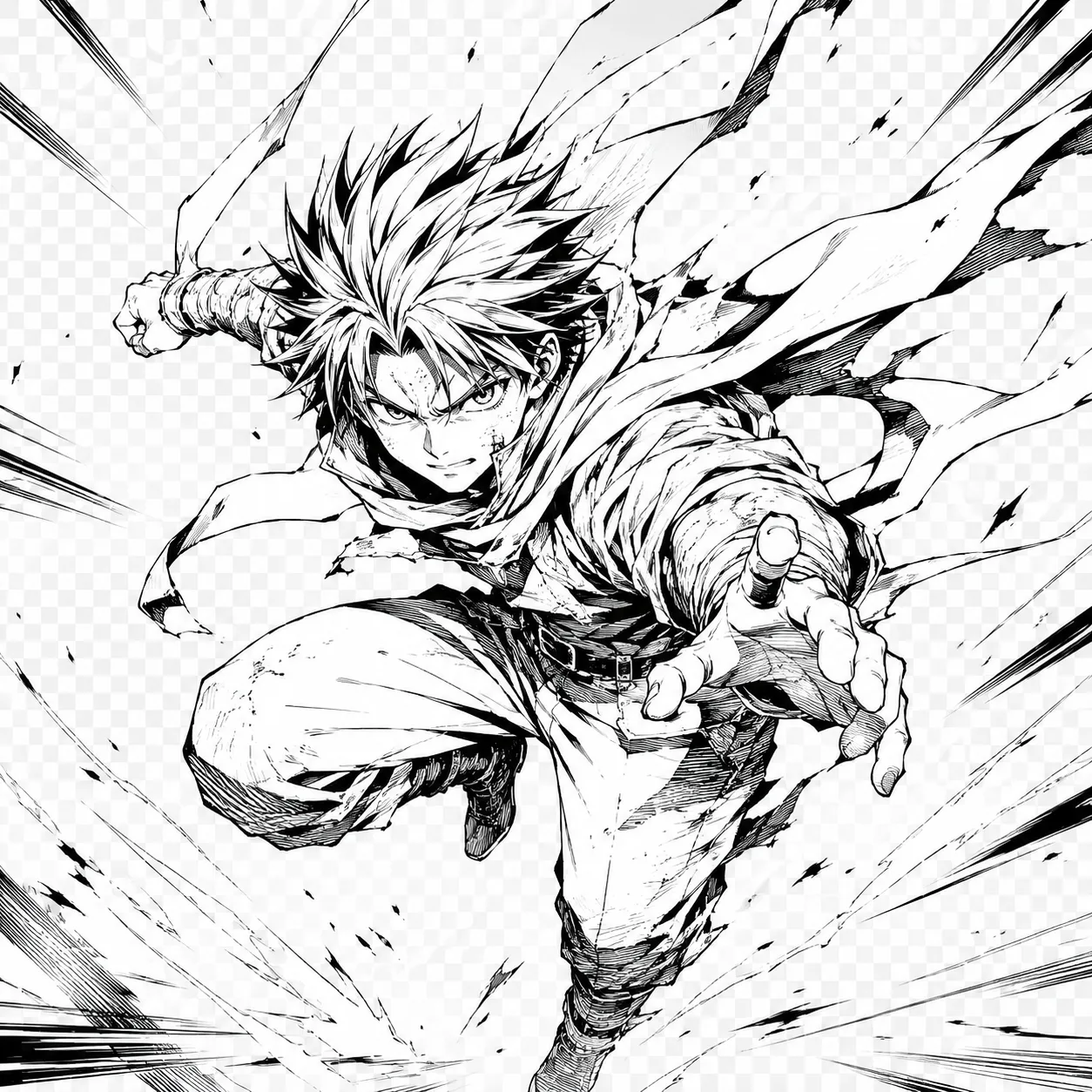 線画
線画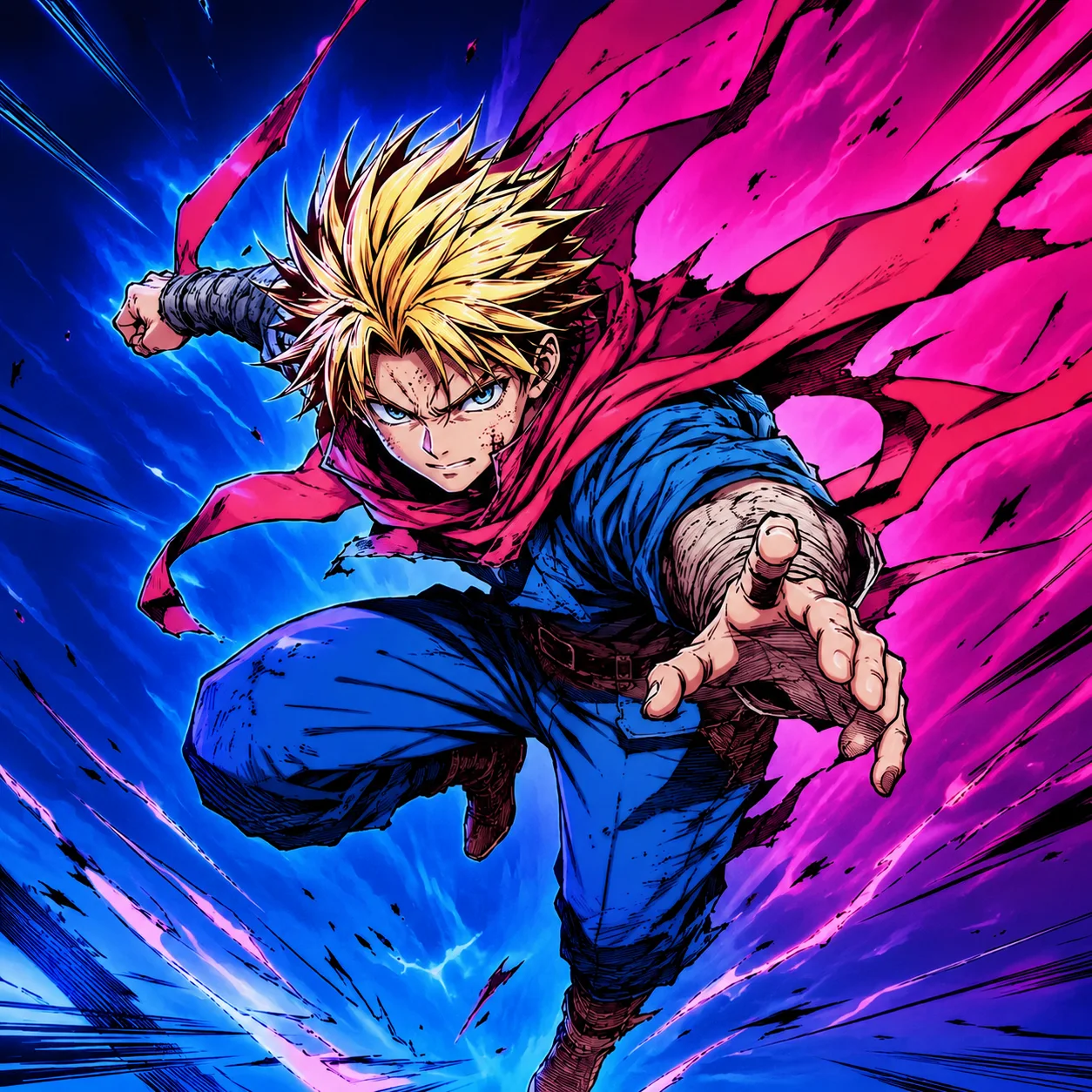 カラー
カラーアーティストの課題
アーティストは通常、反復的なプロダクション作業を減らしたいのであって、描画の判断を置き換えたいわけではありません。
特に類似した衣装のページでは、フラットカラーのブロック処理が反復的。
手動のカラーテストはサムネイル、ピッチデッキ、ファンアートのドラフトを遅くする。
AI結果はスクリーントーンを塗りつぶしたり、吹き出しを汚く見せることがある。
髪や目の色が指定されていないとキャラクターの一貫性が失われる。
ワークフロー
生成は簡潔に保つ。一度に多くのコマとカラールールを追加するほど、AIが元の描画から逸脱する可能性が高まります。
クリーンな白黒スケッチ、マンガコマ、またはキャラクターシートをアップロード。
詳細なパレットノートを追加する前にカラースタイルを選択。
繰り返しキャラクターの色を1つの短いプロンプトで記述。
エクスポート前に線画、目、手、吹き出しを確認。
最適なソース
高コントラストのPNGスキャン
インク済みProcreate書き出し
クリーンなマンガコマ
キャラクタースケッチ
ウェブトゥーンドラフトアート
アニメ風線画
クリエイターの声
日々の投稿づくりからクライアント向けのたたき台まで、異なる立場の8人が率直な感想を寄せました。
“説明を読まなくても、最初の一枚まで迷いませんでした。急ぎの案件では、この分かりやすさが本当に助かります。”
 佐藤 まりEC運営
“完成品を丸ごと任せるというより、方向性を素早く見つけるために使っています。初稿があるだけで打ち合わせが進みやすいです。”
 高橋 直人フリーランスデザイナー
“設定が多すぎないので、毎週の定型コンテンツにも取り入れやすいです。同じ条件を試し直すときも楽でした。”
 あかりコンテンツ編集
“素材を見ながら変化を確認できるのがいいですね。雰囲気だけでなく、残したい部分まで落ち着いて判断できます。”
 森田 圭フォトグラファー
“SNS用の画像をその日のうちに何案か出したいときに便利。操作に気を取られず、内容の比較に集中できます。”
 ユナSNS担当
“派手なデモより、実務で困らないことのほうが大事。その点で、出力までの流れが素直で安心感があります。”
井上 翔個人開発者“事例を見てから始めると、依頼文の組み立て方まで整理できます。チームへの共有もしやすくなりました。”
 中村 玲ブランド企画
“移動中にスマホで下案を作り、帰ってからPCで整える使い方が定着しました。小さな作業の腰が軽くなります。”
 ミホ動画クリエイター
AIマンガ着色
明るい背景のクリーンな黒インクが最適です。スキャンに紙のテクスチャー、灰色の影、途切れた輪郭線、非常に低い解像度があると、AI着色は色の境界を判断できずに苦労します。
インク線を保持するよう構築されていますが、顔、指、髪の毛、小さなアクセサリーは確認する価値があります。これらの詳細はAI着色が最もアートを柔らかくしたり描き直したりしやすい部分です。
マンガページ、ウェブトゥーンテスト、一貫したキャラクターシートにはセルシェードを選択。ペインタリーな肌、髪のハイライト、雰囲気光が重要な単一イラストにはソフトアニメカラーが適しています。
はい。ただし品質が重要な場合は1コマから始めてください。全ページには小さな顔、スクリーントーン、吹き出しが含まれることが多く、色が白やモノクロのままにすべき領域ににじむ可能性があります。
髪、目、服、差し色の順に短く書くと確認しやすくなります。何度も登場するキャラクターは同じ表現を使い、コマごとに別の色を指示しないようにしてください。
使えます。まず1コマか1人のシーンで色の方向を試し、縦長のページ全体に広げる前に線、表情、吹き出しを確認してください。
髪、目、服、差し色、光源を含む短いパレットメモを毎回そのまま使います。結果を並べてから、色がずれたコマだけ個別に調整すると管理しやすくなります。
マスクや元の線画を確認し、吹き出しと効果線を残す指示を追加して1コマずつ再生成します。重要な文字や線は書き出し後に手作業で点検してください。