


01計画ノート
Grok Imagine Image 2.0が役立つ用途
Grok Imagine Image 2.0は、広範なモデル比較ではなく、1つのモデルでの画像生成が中心タスクの場合に役立ちます。プロンプトは具体的に:主題、出力用途、レイアウト、スタイル、参照要件、安定させたい制約を指定。
Grok Imagine Image 2.0で、テキストプロンプトまたは最大3枚の参照画像から画像を生成・編集。アスペクト比を選び、1K・2Kで出力できます。
プロンプト例
このモデルの実際のプロンプトケースを閲覧し、ケースを開いてプロンプトをコピーするかジェネレーターで再利用。
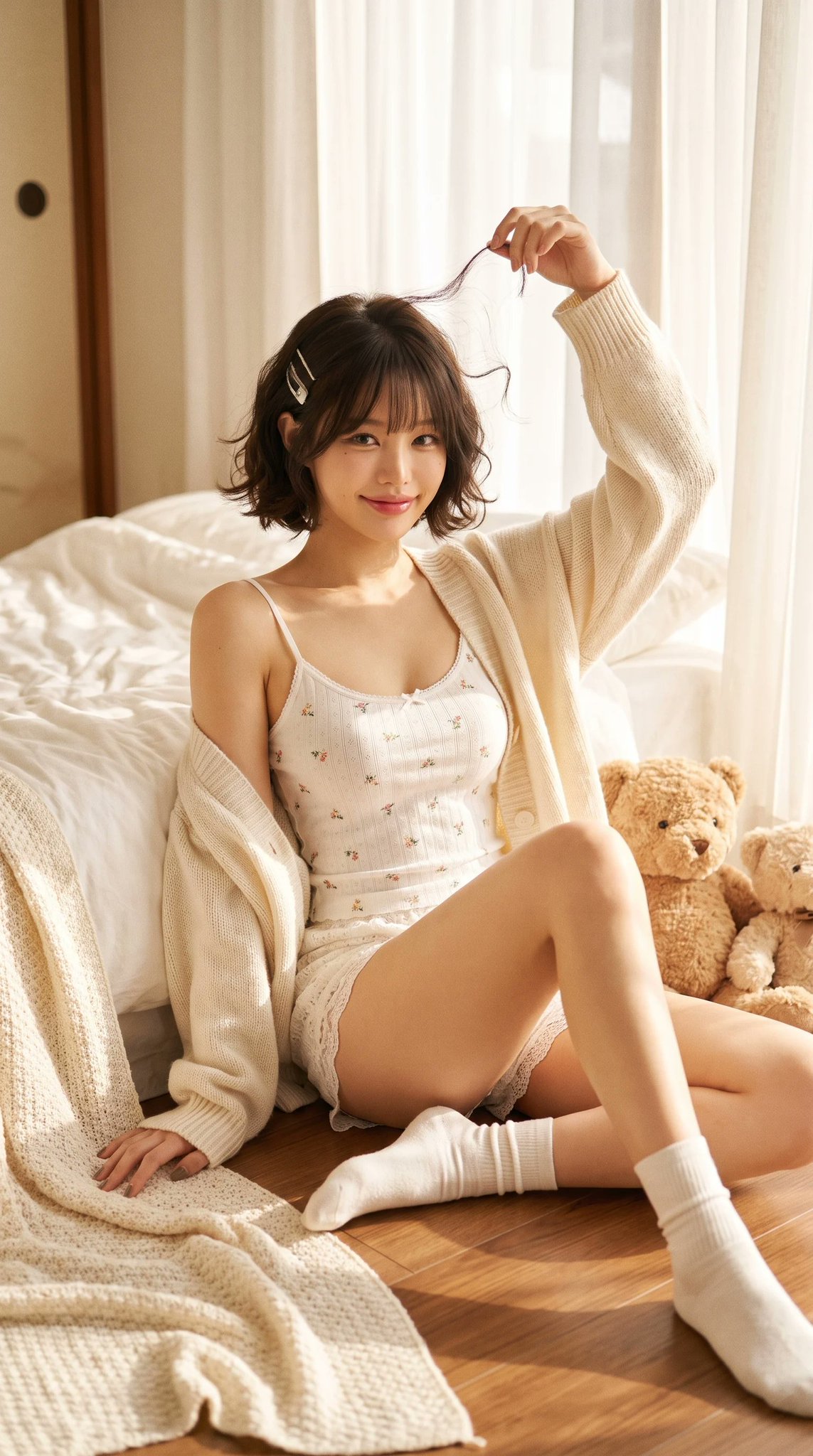
朝のベッドサイド 黒髪ショートボブの可愛いポートレート
Ultra-realistic cozy bedroom editorial portrait of a beautiful petite young Asian woman sitting on the wooden floor beside a soft white bed during a peaceful morning. She has a short chin-length dark brown bob haircut with soft natural curls, wispy bangs, glossy healthy hair, two delicate silver hair clips on one side, large expressive brown eyes, soft blush, naturally flushed cheeks, small nose, glossy pink lips, youthful doll-like facial features, gentle innocent smile. She wears a delicate white spaghetti strap camisole with tiny floral embroidery, matching lace mini shorts, loose oversized cream knitted cardigan slipping slightly off one shoulder, soft white ankle socks. Pose: She sits beside the bed with one leg extended naturally and the other bent slightly inward. One arm rests casually on the floor while the other reaches above her head, lightly twirling a loose strand of hair. She looks directly into the camera with a warm playful smile. Accessories: Two fluffy teddy bears beside her Silver hair clips Minimal natural makeup No heavy jewelry Environment: Cozy Japanese-inspired bedroom White cotton bedding Cream knitted blankets Warm wooden floor Small woven basket Vintage picture frame Soft linen pillows Minimal aesthetic bedroom Morning sunlight entering through sheer white curtains Clean cozy atmosphere Lighting: Warm golden morning sunlight Large window light Soft diffused natural lighting Creamy highlights Gentle shadows Dreamy glow Film-like exposure Natural skin tones Composition: Vertical portrait Full body Eye-level angle Centered composition Comfortable negative space Lifestyle editorial framing Photography Style: Japanese lifestyle magazine Pinterest soft girl aesthetic Dreamcore bedroom Cozy morning editorial MUJI home atmosphere Natural candid portrait Soft feminine fashion Ultra realistic 8K Extremely detailed Authentic skin texture Professional photography Camera: Sony A7R V 85mm lens f/2.0 Natural window light Kodak Portra 400 Subtle film grain Warm pastel color grading High dynamic range Photorealistic
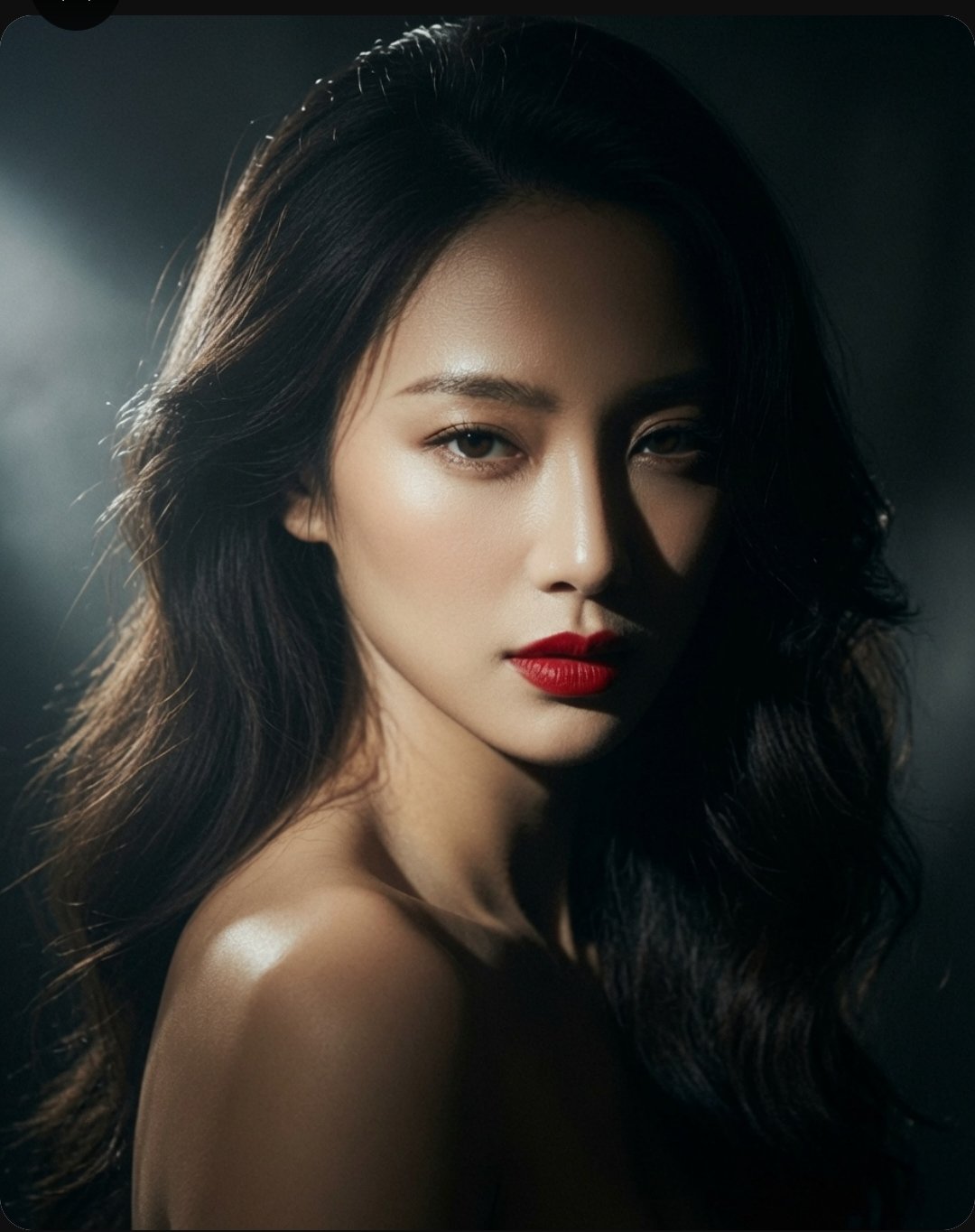
シネマチックポートレートAI画像プロンプト
A high-end, cinematic portrait of a stunning East Asian woman with long, voluminous dark wavy hair. Her expression is captivating and direct, featuring sharp facial features, glowing skin, and bold, vibrant red lips. The lighting is dramatic and moody, utilizing a strong chiaroscuro effect with soft highlights that accentuate her jawline and shoulders against a deep, dark, and textured background. The overall aesthetic is elegant, sophisticated, and polished, reminiscent of a professional fashion editorial or luxury beauty campaign shot with a high-resolution camera.
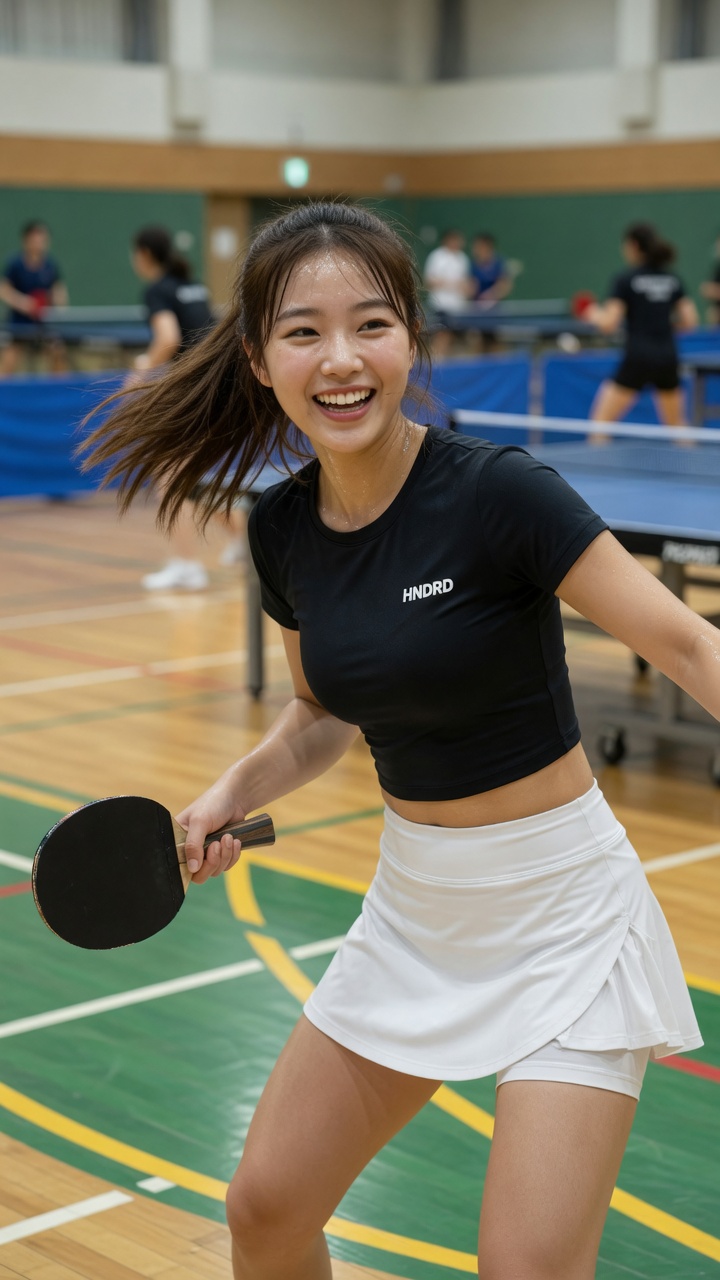
東アジアの若い女性がダイナミックな卓球のポーズで微笑む
[Grok Prompt] Photorealistic image of a beautiful young East Asian woman in her early 20s, shoulder-length brown hair flowing naturally, bright cheerful smile showing teeth, energetic and happy expression, standing in a spacious indoor table tennis hall. She is wearing a fitted black short-sleeve crop top with small white "HNDRD" logo on the chest, and a white athletic skirt with built-in shorts underneath. Holding a black table tennis paddle in her right hand. Dynamic mid-action pose, body slightly twisted, hair in motion as if she just turned her head. Realistic indoor sports hall environment with polished wooden floor, green and yellow court lines, blue table tennis tables in the background, other players visible but softly blurred. Bright even lighting, natural and vibrant atmosphere, sharp focus on the woman, realistic skin texture, detailed fabric and sweat details, lively sports lifestyle vibe, 8k photorealistic, cinematic composition.
計画ノート
Grok Imagine Image 2.0で、テキストプロンプトまたは最大3枚の参照画像から画像を生成・編集。アスペクト比を選び、1K・2Kで出力できます。
Grok Imagine Image 2.0は、広範なモデル比較ではなく、1つのモデルでの画像生成が中心タスクの場合に役立ちます。プロンプトは具体的に:主題、出力用途、レイアウト、スタイル、参照要件、安定させたい制約を指定。
出力目標から始め、主題の詳細、構図、照明、アスペクト比、参照画像ルールを追加。これによりモデルワークフローが焦点を保ち、ジェネレーターが使いやすくなります。
サポートされているコントロールと出力プロファイルがジョブに合う場合にGrok Imagine Image 2.0を選択。異なる速度、品質、参照、解像度のトレードオフが必要な場合は、プロンプト構造を保存した後で別の専用モデルページと比較。
プロンプト全体を書き直す前に、次の項目を確認してください。1回につき1つの条件だけを変えると、Grok Imagine Image 2.0の結果が改善した理由を判断しやすくなります。
必須の被写体、出力形式、維持する条件を冒頭に移し、矛盾するスタイル指定を削除します。生成ごとに変更する条件は1つに絞ってください。
参照画像で固定する対象を、人物、ポーズ、レイアウト、商品形状、スタイルのように明記し、Grok Imagine Image 2.0が変更してよい範囲も示します。現在のモードが参照入力に対応しているかも確認してください。
文言を短くし、表示する正確な文字、読む順序、パネル数、文字位置を先に指定してから装飾スタイルを加えます。
用途に合う解像度または品質設定を選びます。まず低コストの下書きで構図を固め、最後に大きな出力を生成してください。
クリエイターの声
日々の投稿づくりからクライアント向けのたたき台まで、異なる立場の8人が率直な感想を寄せました。
“説明を読まなくても、最初の一枚まで迷いませんでした。急ぎの案件では、この分かりやすさが本当に助かります。”
 佐藤 まりEC運営
“完成品を丸ごと任せるというより、方向性を素早く見つけるために使っています。初稿があるだけで打ち合わせが進みやすいです。”
 高橋 直人フリーランスデザイナー
“設定が多すぎないので、毎週の定型コンテンツにも取り入れやすいです。同じ条件を試し直すときも楽でした。”
 あかりコンテンツ編集
“素材を見ながら変化を確認できるのがいいですね。雰囲気だけでなく、残したい部分まで落ち着いて判断できます。”
 森田 圭フォトグラファー
“SNS用の画像をその日のうちに何案か出したいときに便利。操作に気を取られず、内容の比較に集中できます。”
 ユナSNS担当
“派手なデモより、実務で困らないことのほうが大事。その点で、出力までの流れが素直で安心感があります。”
井上 翔個人開発者“事例を見てから始めると、依頼文の組み立て方まで整理できます。チームへの共有もしやすくなりました。”
 中村 玲ブランド企画
“移動中にスマホで下案を作り、帰ってからPCで整える使い方が定着しました。小さな作業の腰が軽くなります。”
 ミホ動画クリエイター
Grok Imagine Image 2.0で、テキストプロンプトまたは最大3枚の参照画像から画像を生成・編集。アスペクト比を選び、1K・2Kで出力できます。
プロンプト全体を書き直す前に、次の項目を確認してください。1回につき1つの条件だけを変えると、Grok Imagine Image 2.0の結果が改善した理由を判断しやすくなります。
✦ ひとつのワークスペースで画像モデルを試す
Grok Imagine Image 2.0で、テキストプロンプトまたは最大3枚の参照画像から画像を生成・編集。アスペクト比を選び、1K・2Kで出力できます。
使ってみる: Grok Imagine Image 2.0