


01계획 노트
Grok Imagine Image 2.0의 용도
Grok Imagine Image 2.0은(는) 광범위한 모델 비교보다는 하나의 모델에 대한 이미지 생성이 핵심 작업일 때 유용합니다. 프롬프트는 주제, 출력 용도, 레이아웃, 스타일, 참조 요구사항 및 안정적으로 유지해야 할 제약 조건을 구체적으로 작성하세요.
Grok Imagine Image 2.0 AI 이미지 생성기로 텍스트 프롬프트 또는 최대 3장의 참조 이미지에서 이미지를 생성하고 편집하세요. 화면 비율을 선택해 1K 또는 2K로 출력할 수 있습니다.
프롬프트 예시
이 모델의 실제 프롬프트 사례를 살펴보고, 사례를 열어 프롬프트를 복사하거나 생성기에서 재사용하세요.
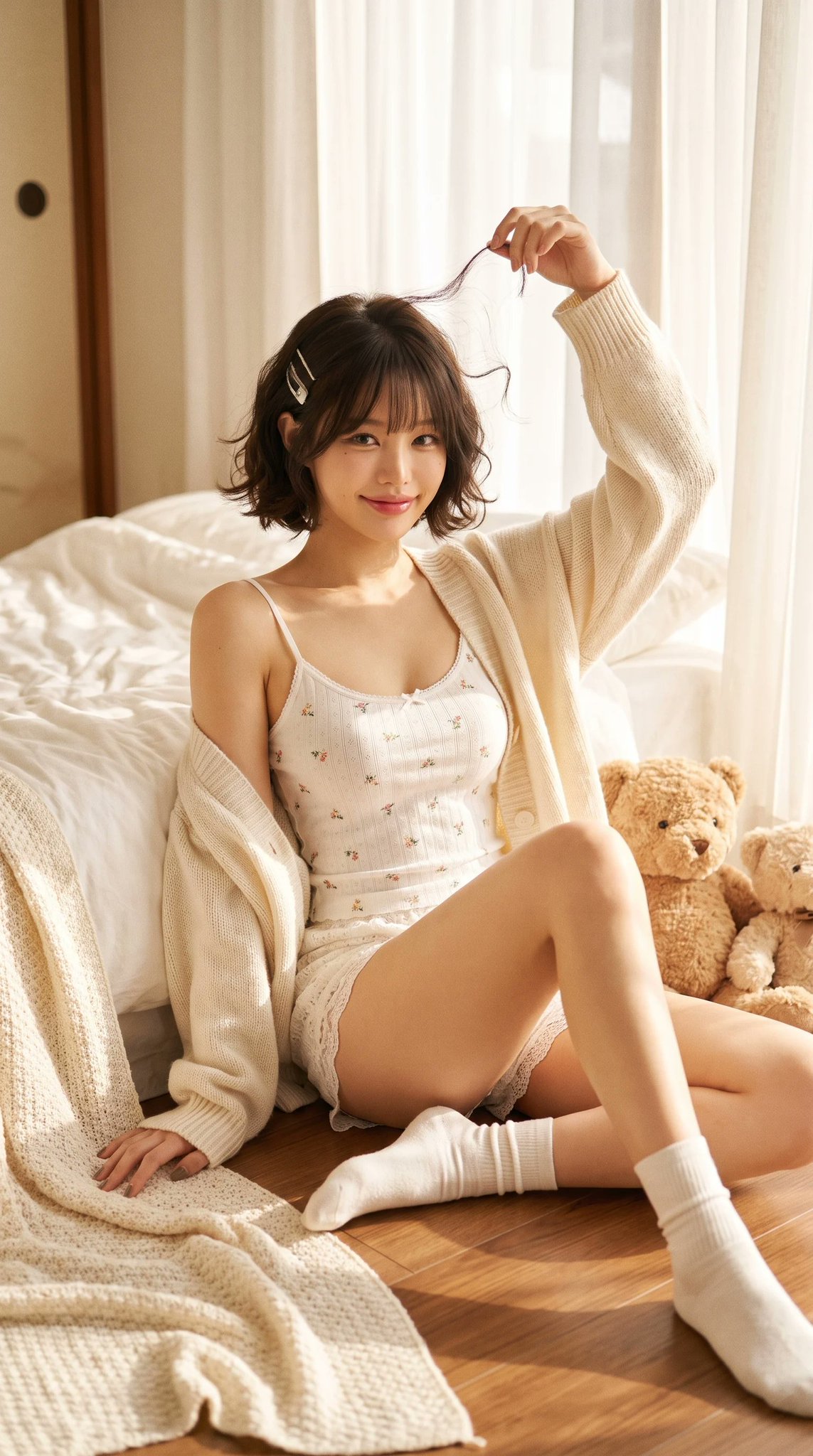
Ultra-realistic Cozy Bedroom Editorial 사진 Grok 4.2 Image Prompt
Ultra-realistic cozy bedroom editorial portrait of a beautiful petite young Asian woman sitting on the wooden floor beside a soft white bed during a peaceful morning. She has a short chin-length dark brown bob haircut with soft natural curls, wispy bangs, glossy healthy hair, two delicate silver hair clips on one side, large expressive brown eyes, soft blush, naturally flushed cheeks, small nose, glossy pink lips, youthful doll-like facial features, gentle innocent smile. She wears a delicate white spaghetti strap camisole with tiny floral embroidery, matching lace mini shorts, loose oversized cream knitted cardigan slipping slightly off one shoulder, soft white ankle socks. Pose: She sits beside the bed with one leg extended naturally and the other bent slightly inward. One arm rests casually on the floor while the other reaches above her head, lightly twirling a loose strand of hair. She looks directly into the camera with a warm playful smile. Accessories: Two fluffy teddy bears beside her Silver hair clips Minimal natural makeup No heavy jewelry Environment: Cozy Japanese-inspired bedroom White cotton bedding Cream knitted blankets Warm wooden floor Small woven basket Vintage picture frame Soft linen pillows Minimal aesthetic bedroom Morning sunlight entering through sheer white curtains Clean cozy atmosphere Lighting: Warm golden morning sunlight Large window light Soft diffused natural lighting Creamy highlights Gentle shadows Dreamy glow Film-like exposure Natural skin tones Composition: Vertical portrait Full body Eye-level angle Centered composition Comfortable negative space Lifestyle editorial framing Photography Style: Japanese lifestyle magazine Pinterest soft girl aesthetic Dreamcore bedroom Cozy morning editorial MUJI home atmosphere Natural candid portrait Soft feminine fashion Ultra realistic 8K Extremely detailed Authentic skin texture Professional photography Camera: Sony A7R V 85mm lens f/2.0 Natural window light Kodak Portra 400 Subtle film grain Warm pastel color grading High dynamic range Photorealistic
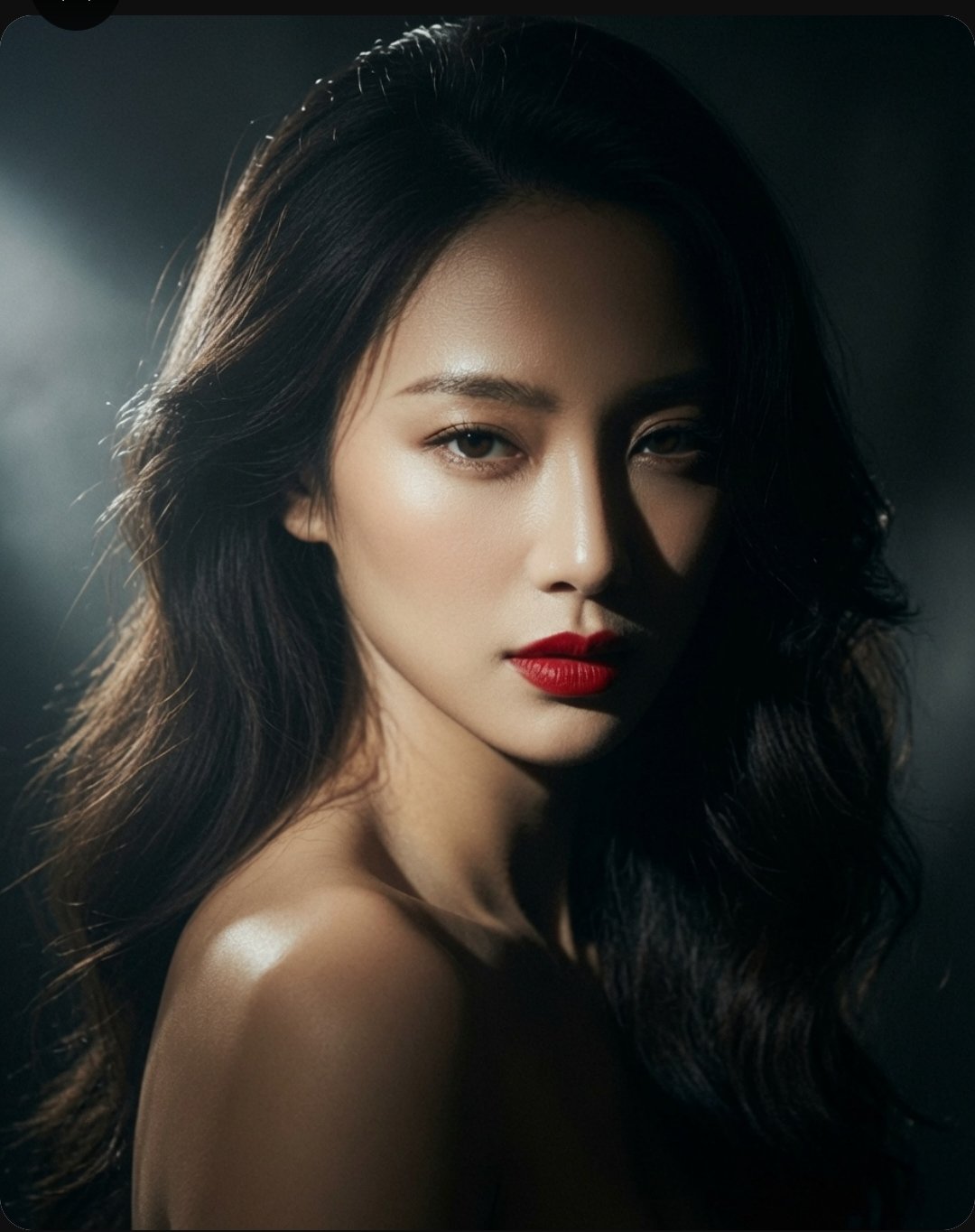
High-end Cinematic Portrait Stunning East 사진 Grok 4.2 Image Prompt
A high-end, cinematic portrait of a stunning East Asian woman with long, voluminous dark wavy hair. Her expression is captivating and direct, featuring sharp facial features, glowing skin, and bold, vibrant red lips. The lighting is dramatic and moody, utilizing a strong chiaroscuro effect with soft highlights that accentuate her jawline and shoulders against a deep, dark, and textured background. The overall aesthetic is elegant, sophisticated, and polished, reminiscent of a professional fashion editorial or luxury beauty campaign shot with a high-resolution camera.
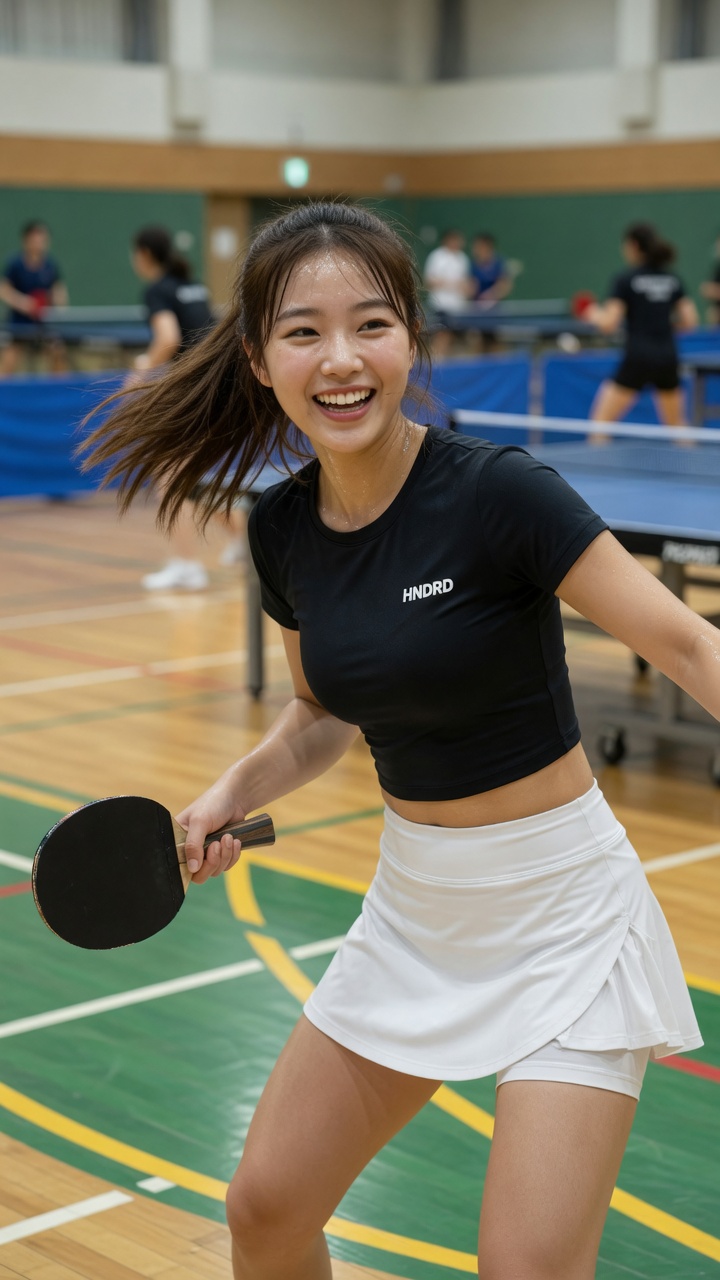
동양인 여성의 역동적인 탁구 플레이 포즈와 밝은 미소
[Grok Prompt] Photorealistic image of a beautiful young East Asian woman in her early 20s, shoulder-length brown hair flowing naturally, bright cheerful smile showing teeth, energetic and happy expression, standing in a spacious indoor table tennis hall. She is wearing a fitted black short-sleeve crop top with small white "HNDRD" logo on the chest, and a white athletic skirt with built-in shorts underneath. Holding a black table tennis paddle in her right hand. Dynamic mid-action pose, body slightly twisted, hair in motion as if she just turned her head. Realistic indoor sports hall environment with polished wooden floor, green and yellow court lines, blue table tennis tables in the background, other players visible but softly blurred. Bright even lighting, natural and vibrant atmosphere, sharp focus on the woman, realistic skin texture, detailed fabric and sweat details, lively sports lifestyle vibe, 8k photorealistic, cinematic composition.
계획 노트
Grok Imagine Image 2.0 AI 이미지 생성기로 텍스트 프롬프트 또는 최대 3장의 참조 이미지에서 이미지를 생성하고 편집하세요. 화면 비율을 선택해 1K 또는 2K로 출력할 수 있습니다.
Grok Imagine Image 2.0은(는) 광범위한 모델 비교보다는 하나의 모델에 대한 이미지 생성이 핵심 작업일 때 유용합니다. 프롬프트는 주제, 출력 용도, 레이아웃, 스타일, 참조 요구사항 및 안정적으로 유지해야 할 제약 조건을 구체적으로 작성하세요.
출력 목표로 시작한 후 주제 세부사항, 구도, 조명, 화면 비율 및 참조 이미지 규칙을 추가하세요. 이렇게 하면 모델 워크플로우가 집중되고 생성기를 더 쉽게 사용할 수 있습니다.
Grok Imagine Image 2.0의 지원 컨트롤과 출력 프로필이 작업에 적합할 때 선택하세요. 결과에 다른 속도, 품질, 참조 또는 해상도 트레이드오프가 필요한 경우 프롬프트 구조를 저장한 후 다른 전용 모델 페이지와 비교하세요.
프롬프트 전체를 다시 쓰기 전에 아래 항목부터 확인하세요. 한 번에 변수 하나만 바꾸면 Grok Imagine Image 2.0 결과가 좋아지거나 어긋난 이유를 판단하기 쉽습니다.
필수 피사체, 출력 형식, 유지 조건을 프롬프트 앞부분으로 옮기고 충돌하는 스타일 지시는 삭제하세요. 생성할 때마다 요구 사항 하나만 수정하세요.
참조 이미지가 인물, 포즈, 레이아웃, 상품 형태, 스타일 중 무엇을 고정하는지와 Grok Imagine Image 2.0이 바꿔도 되는 부분을 명확히 쓰세요. 선택한 모드가 해당 참조 입력을 지원하는지도 확인하세요.
문구를 줄이고 정확한 텍스트, 읽는 순서, 패널 수, 텍스트 위치를 먼저 지정한 뒤 장식 스타일을 추가하세요.
최종 형식에 맞는 지원 해상도나 품질 옵션을 선택하세요. 저비용 초안에서 구도를 먼저 수정한 다음 더 큰 최종 출력을 요청하는 편이 효율적입니다.
크리에이터 이야기
급한 소셜 콘텐츠부터 클라이언트 초안까지, 서로 다른 작업을 하는 여덟 명의 솔직한 사용 기록입니다.
“처음 열었는데도 어디서 시작해야 할지 바로 보였어요. 상품 이미지 한 장 만들려다 방향을 세 가지나 비교해 봤습니다.”
 김서윤온라인몰 운영
“결과물을 그대로 끝내기보다 초안 잡는 용도로 씁니다. 빈 화면에서 시작할 때보다 클라이언트와 이야기할 거리가 훨씬 빨리 생겨요.”
 박준호프리랜서 디자이너
“매주 비슷한 콘텐츠를 만들다 보니 설정을 다시 맞추는 시간이 아까웠는데, 반복 작업이 꽤 가벼워졌습니다.”
 유리콘텐츠 에디터
“업로드한 원본과 변화를 같이 볼 수 있어서 좋아요. 느낌으로 판단하지 않고, 무엇이 남고 달라졌는지 확인할 수 있습니다.”
 이도현포토그래퍼
“런칭 주간에 처음 써 봤는데 흐름이 단순해서 막히는 구간이 없었어요. 급할수록 이런 기본기가 크게 느껴집니다.”
 민지소셜 미디어 매니저
“보기 좋은 데모보다 실제로 자주 손이 가는지가 중요하잖아요. 아이디어를 빠르게 눈앞에 꺼내는 도구로 잘 쓰고 있습니다.”
 Alex K.인디 메이커
“예시를 먼저 보고 작업하니 요청 문장도 더 구체적으로 쓸 수 있었어요. 팀에 방향을 설명하기도 쉬워졌고요.”
최은채브랜드 기획“밖에서 휴대폰으로 초안을 만들고 사무실에서 마무리합니다. 작은 작업을 미루는 일이 확실히 줄었어요.”
하늘1인 크리에이터Grok Imagine Image 2.0 AI 이미지 생성기로 텍스트 프롬프트 또는 최대 3장의 참조 이미지에서 이미지를 생성하고 편집하세요. 화면 비율을 선택해 1K 또는 2K로 출력할 수 있습니다.
프롬프트 전체를 다시 쓰기 전에 아래 항목부터 확인하세요. 한 번에 변수 하나만 바꾸면 Grok Imagine Image 2.0 결과가 좋아지거나 어긋난 이유를 판단하기 쉽습니다.
✦ 하나의 작업 공간에서 이미지 모델 탐색하기
Grok Imagine Image 2.0 AI 이미지 생성기로 텍스트 프롬프트 또는 최대 3장의 참조 이미지에서 이미지를 생성하고 편집하세요. 화면 비율을 선택해 1K 또는 2K로 출력할 수 있습니다.
시작하기: Grok Imagine Image 2.0