
Skip to content
Wenimg logoWenimg

Grok Imagine Image 2.0 AI Image Generator

Generate and edit images with Grok Imagine Image 2.0 from text prompts or up to three reference images. Choose flexible aspect ratios and 1K or 2K output.

Max 5 reference files / JPG, PNG, WEBP / 30MB each

0/32000

Prompt examples

Grok Imagine Image 2.0 prompt examples

Browse real prompt cases for this model, then open a case to copy the prompt or reuse it in the generator.

View all
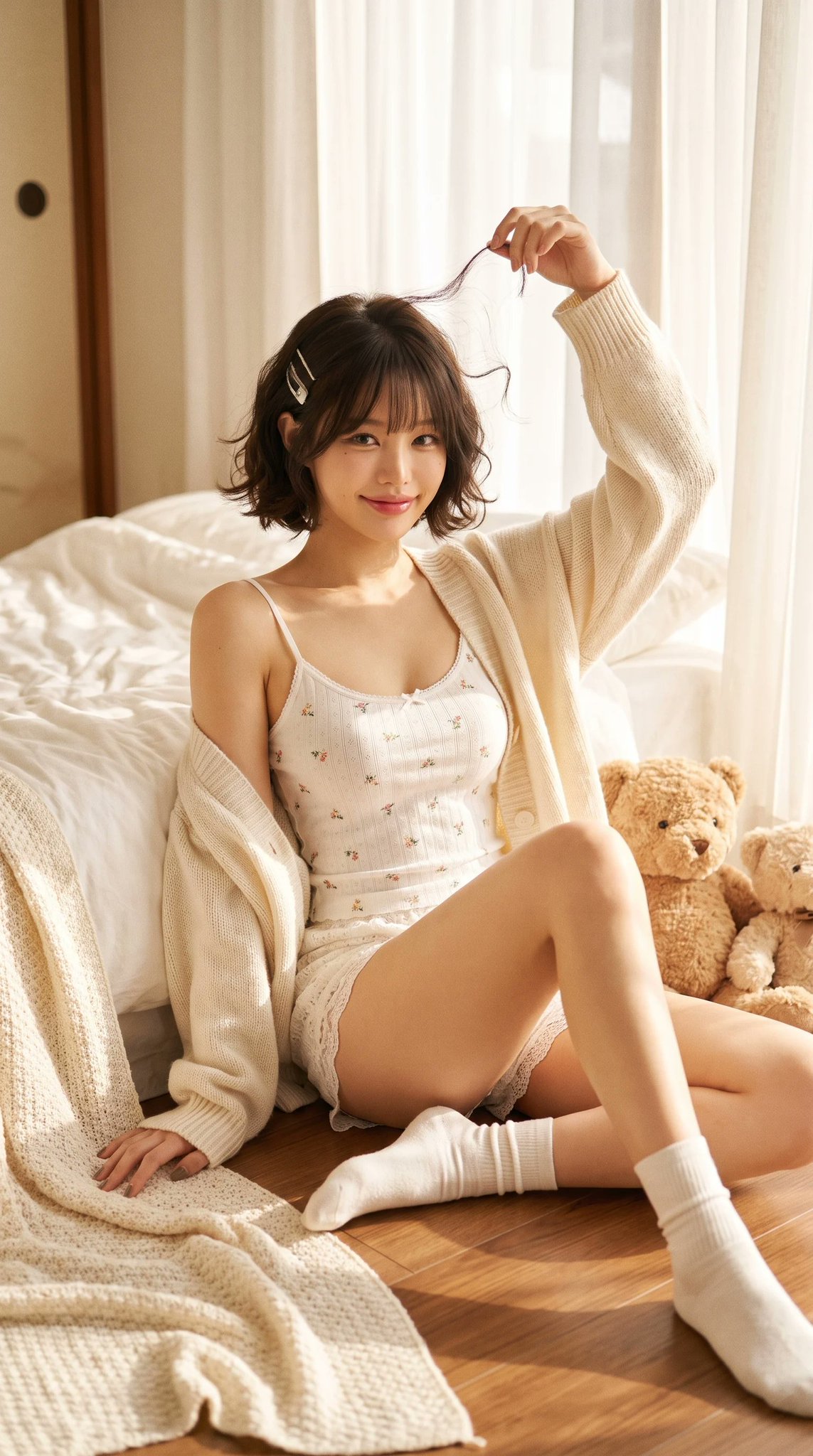
Ultra-realistic Cozy Bedroom Photography Grok 4.2 Image Prompt AI image prompt example

Ultra-realistic Cozy Bedroom Photography Grok 4.2 Image Prompt

Ultra-realistic cozy bedroom editorial portrait of a beautiful petite young Asian woman sitting on the wooden floor beside a soft white bed during a peaceful morning. She has a short chin-length dark brown bob haircut with soft natural curls, wispy bangs, glossy healthy hair, two delicate silver hair clips on one side, large expressive brown eyes, soft blush, naturally flushed cheeks, small nose, glossy pink lips, youthful doll-like facial features, gentle innocent smile. She wears a delicate white spaghetti strap camisole with tiny floral embroidery, matching lace mini shorts, loose oversized cream knitted cardigan slipping slightly off one shoulder, soft white ankle socks. Pose: She sits beside the bed with one leg extended naturally and the other bent slightly inward. One arm rests casually on the floor while the other reaches above her head, lightly twirling a loose strand of hair. She looks directly into the camera with a warm playful smile. Accessories: Two fluffy teddy bears beside her Silver hair clips Minimal natural makeup No heavy jewelry Environment: Cozy Japanese-inspired bedroom White cotton bedding Cream knitted blankets Warm wooden floor Small woven basket Vintage picture frame Soft linen pillows Minimal aesthetic bedroom Morning sunlight entering through sheer white curtains Clean cozy atmosphere Lighting: Warm golden morning sunlight Large window light Soft diffused natural lighting Creamy highlights Gentle shadows Dreamy glow Film-like exposure Natural skin tones Composition: Vertical portrait Full body Eye-level angle Centered composition Comfortable negative space Lifestyle editorial framing Photography Style: Japanese lifestyle magazine Pinterest soft girl aesthetic Dreamcore bedroom Cozy morning editorial MUJI home atmosphere Natural candid portrait Soft feminine fashion Ultra realistic 8K Extremely detailed Authentic skin texture Professional photography Camera: Sony A7R V 85mm lens f/2.0 Natural window light Kodak Portra 400 Subtle film grain Warm pastel color grading High dynamic range Photorealistic

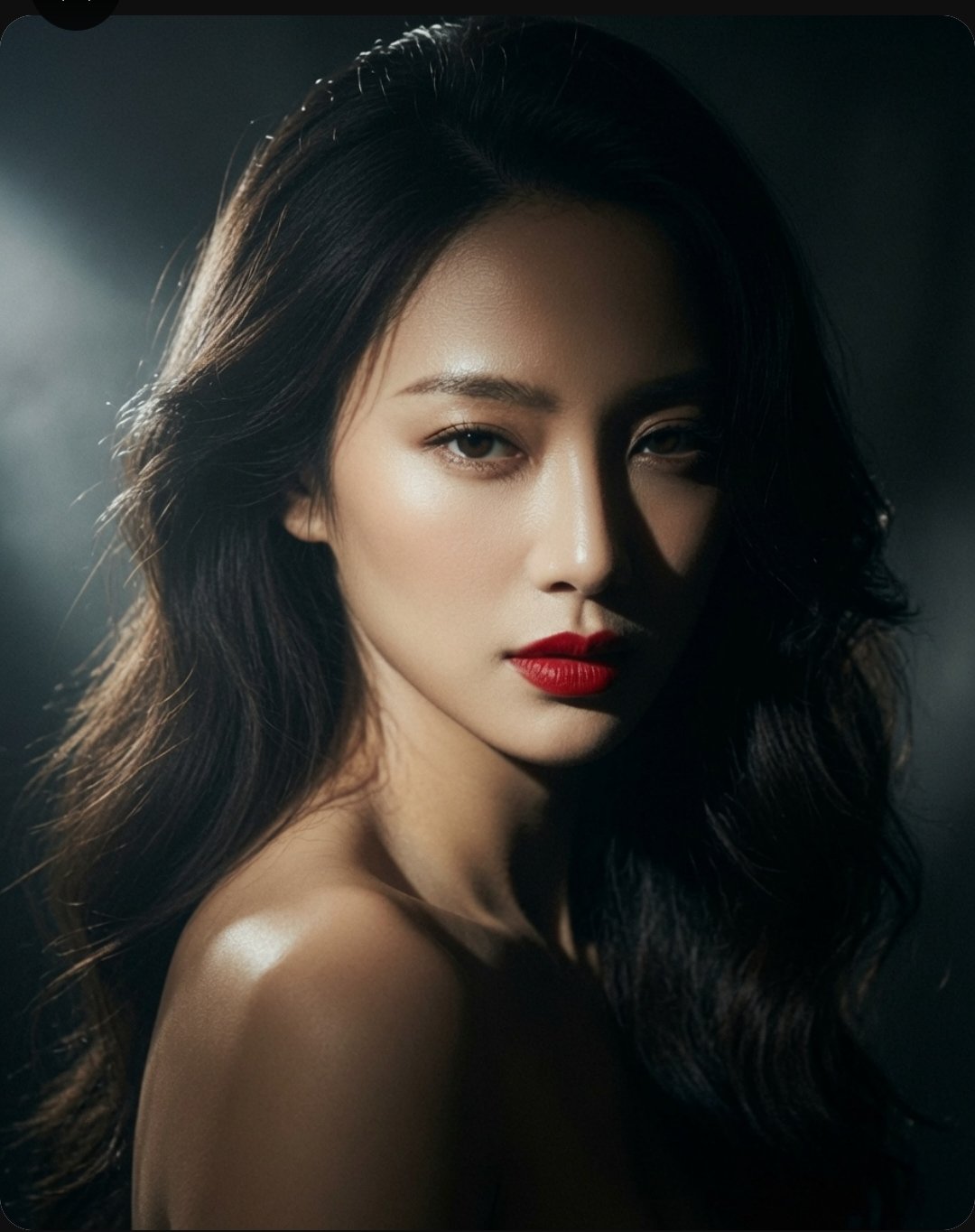
High-end Cinematic Portrait Photography Grok 4.2 Image Prompt AI image prompt example

Cinematic East Asian Woman Portrait Photography Grok 4.2 Image Prompt

A high-end, cinematic portrait of a stunning East Asian woman with long, voluminous dark wavy hair. Her expression is captivating and direct, featuring sharp facial features, glowing skin, and bold, vibrant red lips. The lighting is dramatic and moody, utilizing a strong chiaroscuro effect with soft highlights that accentuate her jawline and shoulders against a deep, dark, and textured background. The overall aesthetic is elegant, sophisticated, and polished, reminiscent of a professional fashion editorial or luxury beauty campaign shot with a high-resolution camera.

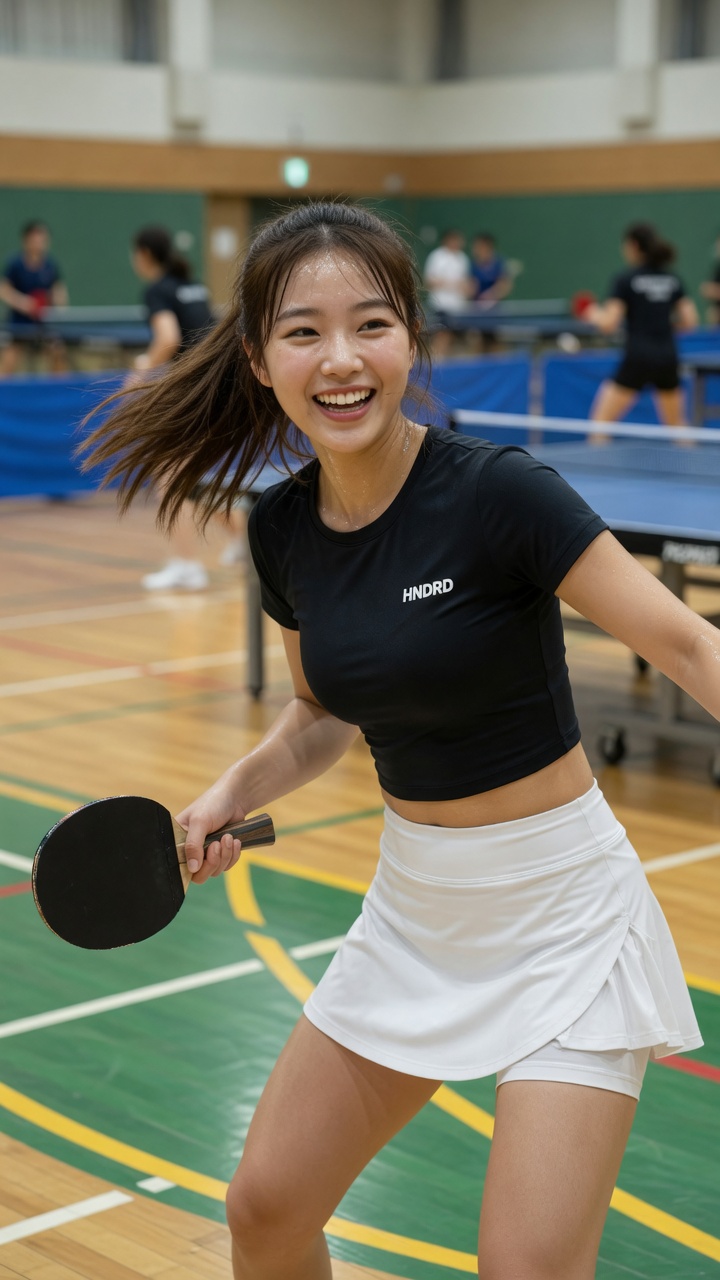
East Asian Woman Smiling While Twisting in Dynamic Table Tennis Pose AI image prompt example

East Asian Woman Smiling While Twisting in Dynamic Table Tennis Pose

[Grok Prompt] Photorealistic image of a beautiful young East Asian woman in her early 20s, shoulder-length brown hair flowing naturally, bright cheerful smile showing teeth, energetic and happy expression, standing in a spacious indoor table tennis hall. She is wearing a fitted black short-sleeve crop top with small white "HNDRD" logo on the chest, and a white athletic skirt with built-in shorts underneath. Holding a black table tennis paddle in her right hand. Dynamic mid-action pose, body slightly twisted, hair in motion as if she just turned her head. Realistic indoor sports hall environment with polished wooden floor, green and yellow court lines, blue table tennis tables in the background, other players visible but softly blurred. Bright even lighting, natural and vibrant atmosphere, sharp focus on the woman, realistic skin texture, detailed fabric and sweat details, lively sports lifestyle vibe, 8k photorealistic, cinematic composition.

Planning notes

How to use Grok Imagine Image 2.0

Generate and edit images with Grok Imagine Image 2.0 from text prompts or up to three reference images. Choose flexible aspect ratios and 1K or 2K output.

01Planning notes

What Grok Imagine Image 2.0 is useful for

Grok Imagine Image 2.0 is useful when the core task is image generation for one model rather than broad model comparison. Keep the prompt concrete: name the subject, output use, layout, style, reference requirements, and any constraints that should stay stable.


02Planning notes

How to brief Grok Imagine Image 2.0

Start with the output goal, then add subject details, composition, lighting, aspect ratio, and reference-image rules. This keeps the model workflow focused and makes the generator easier to use.

03Planning notes

When to choose Grok Imagine Image 2.0

Choose Grok Imagine Image 2.0 when its supported controls and output profile match the job. If the result needs a different speed, quality, reference, or resolution tradeoff, compare another dedicated model page after saving the prompt structure.

Common Grok Imagine Image 2.0 problems and fixes

Use these checks before rewriting the whole prompt. A small, controlled correction makes it easier to see why a Grok Imagine Image 2.0 result improved or drifted.

The result ignores part of the brief

Move the required subject, format, and must-keep constraint to the start. Remove conflicting style instructions, then change one requirement per generation.

A reference image is not followed closely

State exactly what the reference controlsโ€”identity, pose, layout, product shape, or styleโ€”and what Grok Imagine Image 2.0 may change. Confirm the selected workflow accepts that reference input.

Text or layout is hard to read

Shorten the copy, provide the exact wording, define the reading order, and describe the number and position of panels or text blocks before adding decorative style.

The output lacks usable detail

Choose the supported resolution or quality option that matches the final format. Fix composition at a lower-cost draft stage before requesting a larger final output.

Creator notes

Grok Imagine Image 2.0 ยท The small details creators notice after the first result

Eight grounded snapshots from everyday image workโ€”from quick social posts to client-ready drafts.

01
โ€œI came in for one quick product image and stayed to try three directions. The workflow never made me feel like I needed a tutorial first.โ€
Maya R.E-commerce manager
02
โ€œThe controls are restrained in a good way. I can get a useful draft, download it, and finish the last ten percent in my usual design app.โ€
Jon BellFreelance designer
03
โ€œWhat won me over was consistency. I can repeat the same brief without rebuilding every setting from scratch.โ€
Priya S.Content lead
04
โ€œThe first result is often close enough to start a real conversation with a client. That alone saves me a round of mood-board work.โ€
Owen K.Independent maker
05
โ€œI tested it during a busy launch week. It was fast, clear, and I always knew what the next click would do.โ€
Nina ParkSocial media editor
06
โ€œBeing able to keep the source image visible matters to me. I can judge what changed instead of guessing from memory.โ€
Luis M.Photographer
07
โ€œIt feels designed for actual production work, not just a flashy demo. The examples are practical and the output is easy to hand off.โ€
Sophie ChenBrand coordinator
08
โ€œI mostly use it for small weekly assets. It turns the blank-page moment into something I can react to in a couple of minutes.โ€
Tom W.Newsletter creator
Prompt map

Grok Imagine Image 2.0 prompt categories

Generate and edit images with Grok Imagine Image 2.0 from text prompts or up to three reference images. Choose flexible aspect ratios and 1K or 2K output.

Grok Imagine Image 2.0 FAQ

Use these checks before rewriting the whole prompt. A small, controlled correction makes it easier to see why a Grok Imagine Image 2.0 result improved or drifted.

โœฆ Explore an image model in one workspace

Create your next idea with Grok Imagine Image 2.0

Generate and edit images with Grok Imagine Image 2.0 from text prompts or up to three reference images. Choose flexible aspect ratios and 1K or 2K output.

Start with Grok Imagine Image 2.0