

Case 1
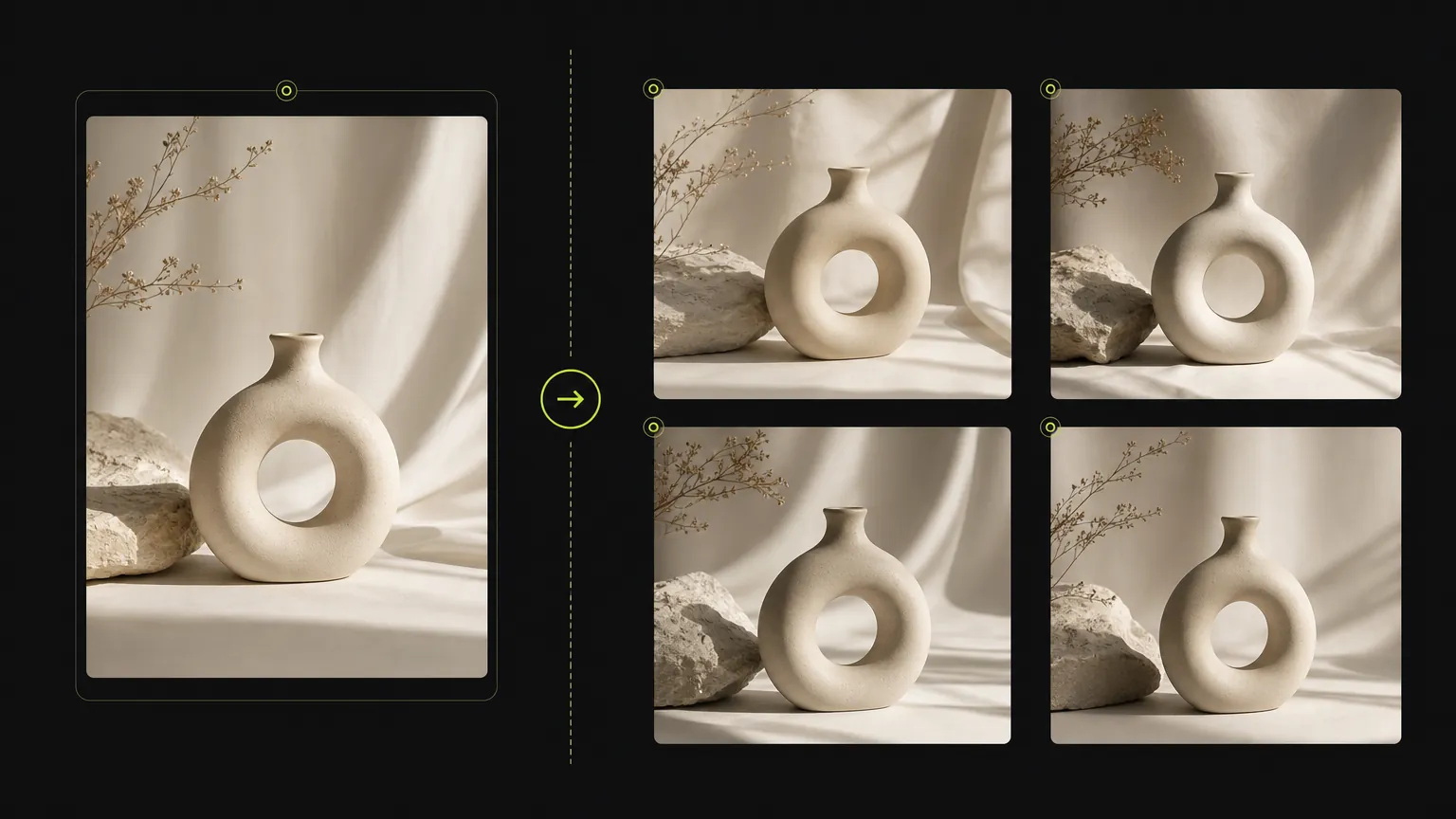
Fast visual iteration
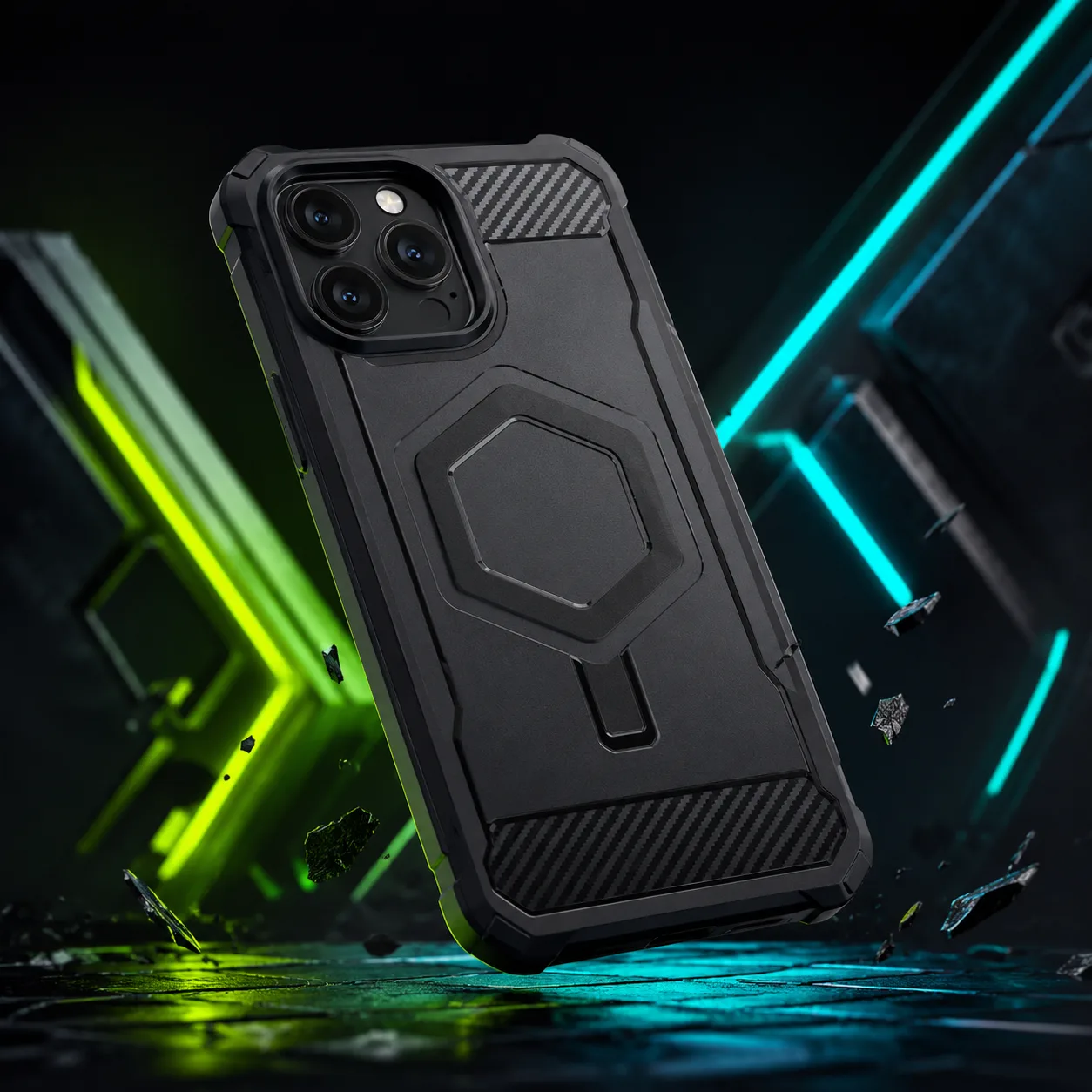
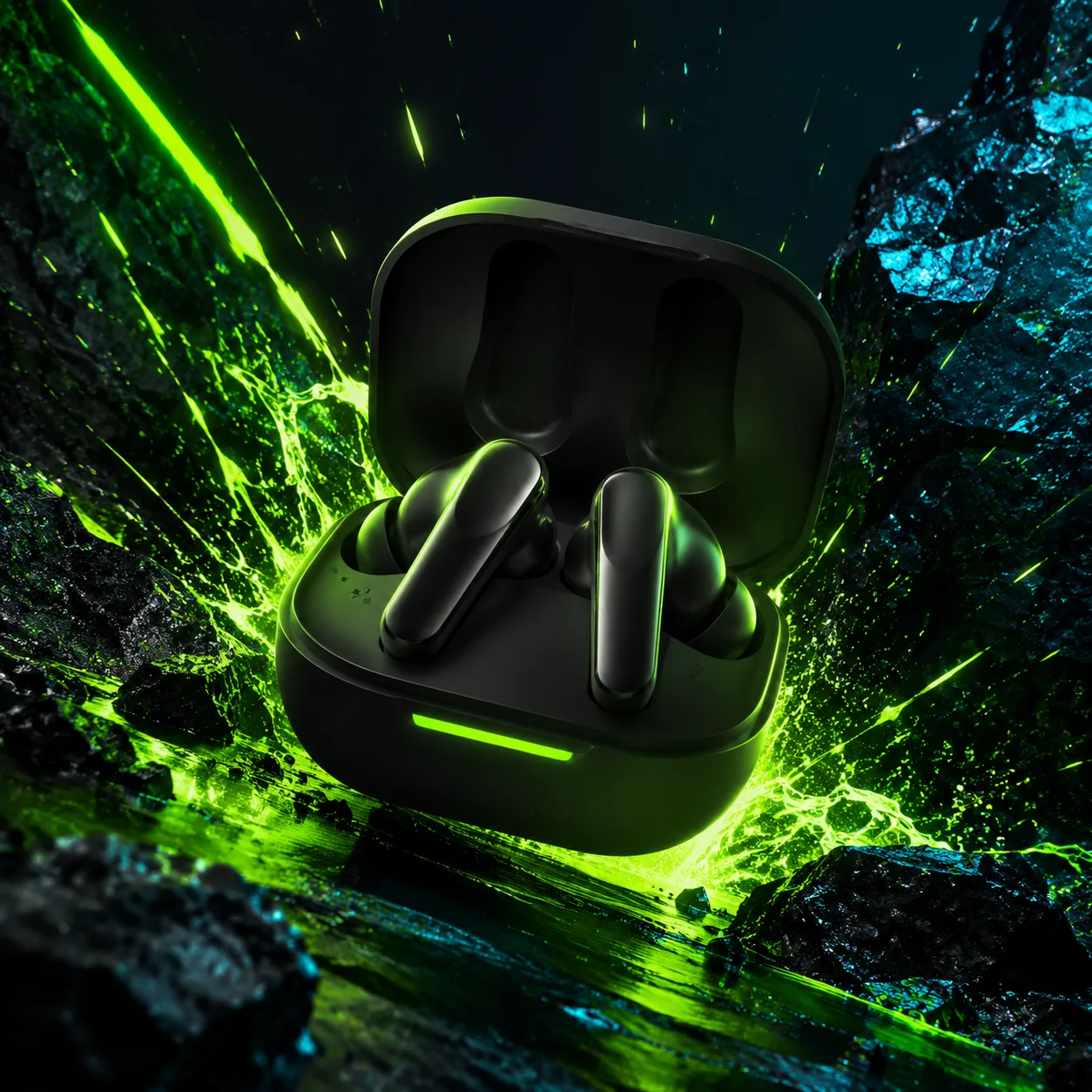
A plain product frame becomes a faster campaign-ready product visual.
Nano Banana 2 is the speed-focused image generator page for teams that want quick prompt testing, reference-driven variations, and a clean path from idea to usable visual.
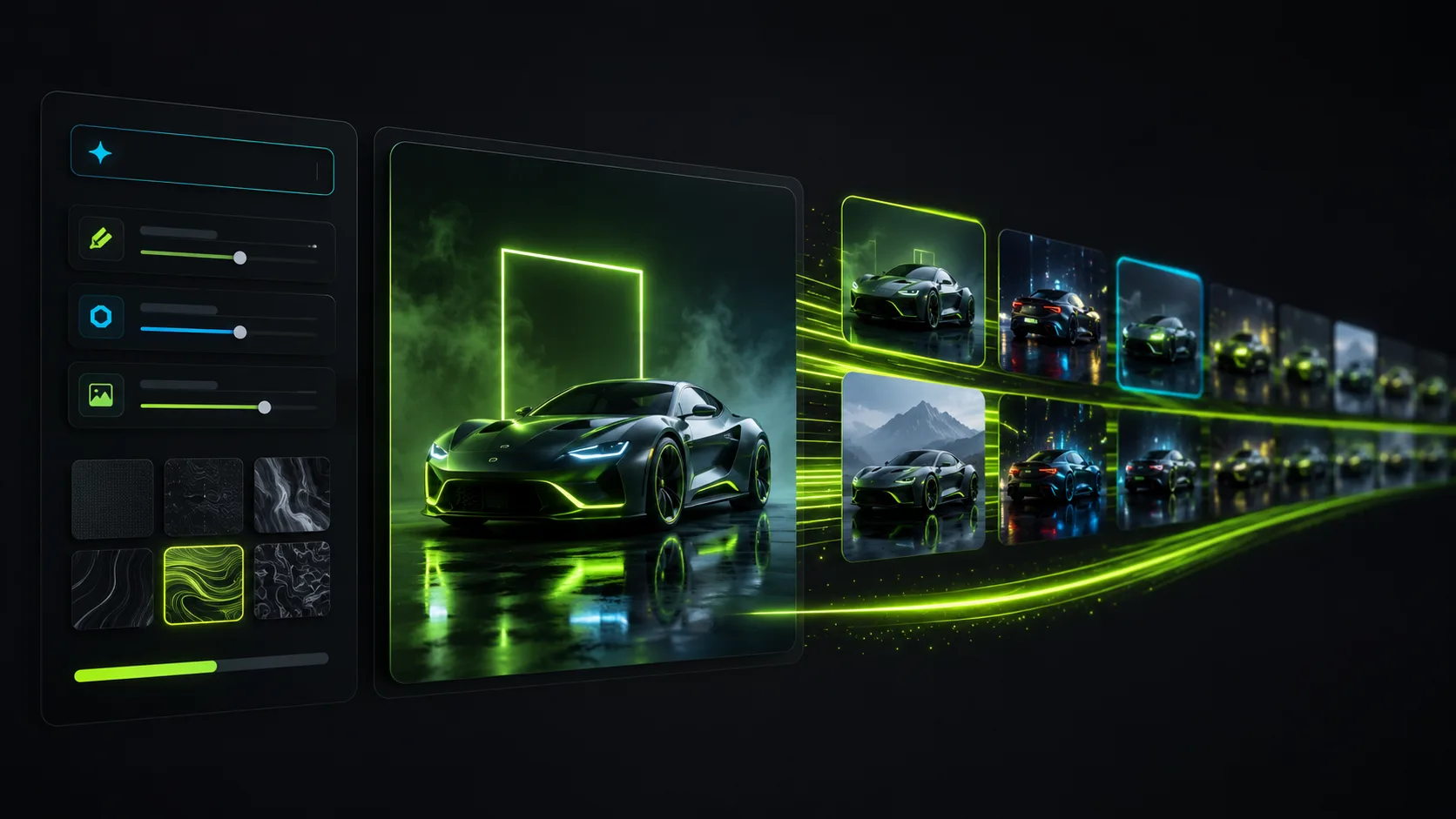
Use Nano Banana 2 to move through product and campaign directions quickly.
Move through prompt variants quickly when you are searching for composition, lighting, or a broader creative direction.
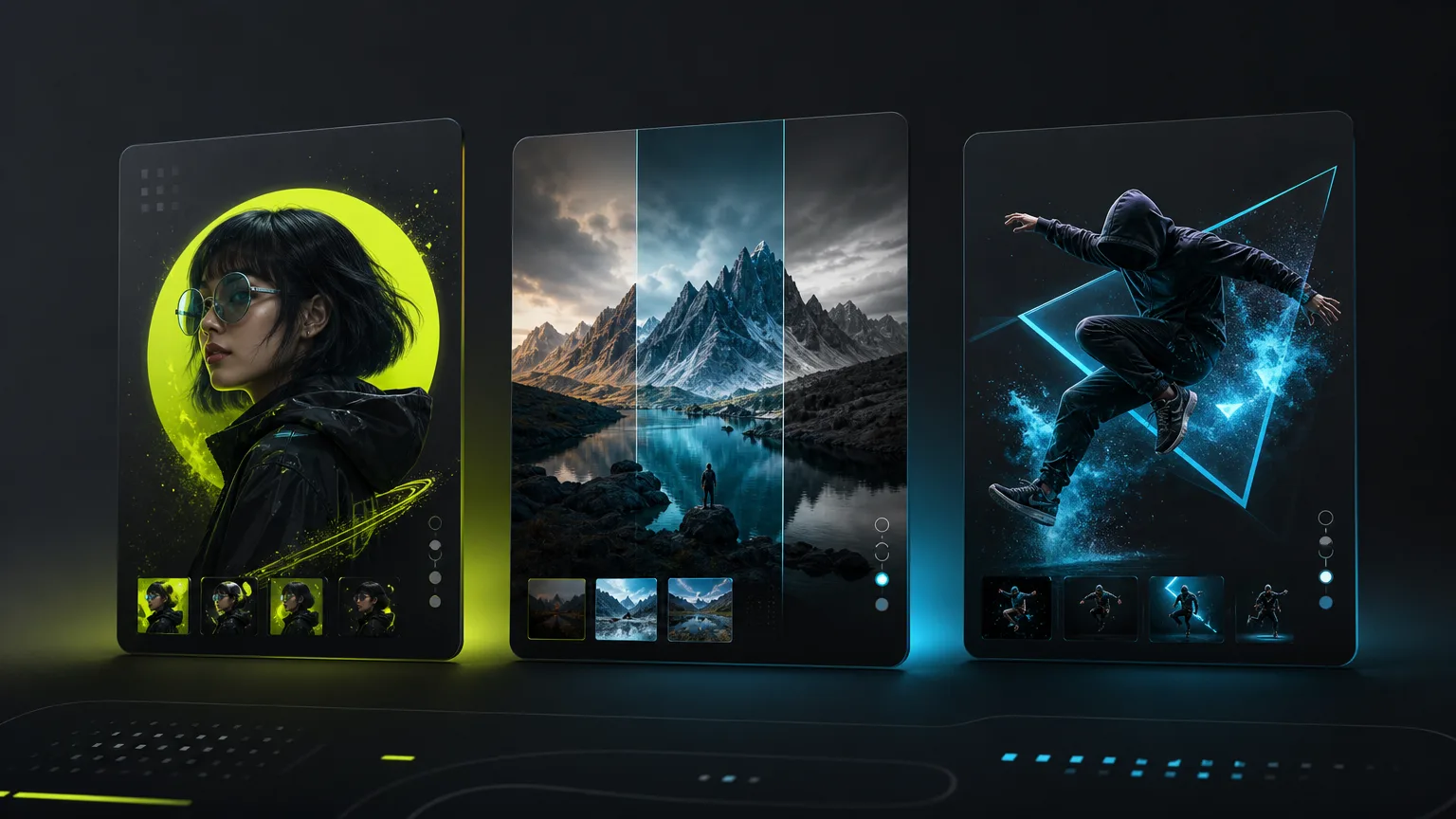
Generate multiple ad angles before choosing which visual to polish.
Upload a source image to guide framing, mood, or product geometry without slowing the page down with unnecessary extras.
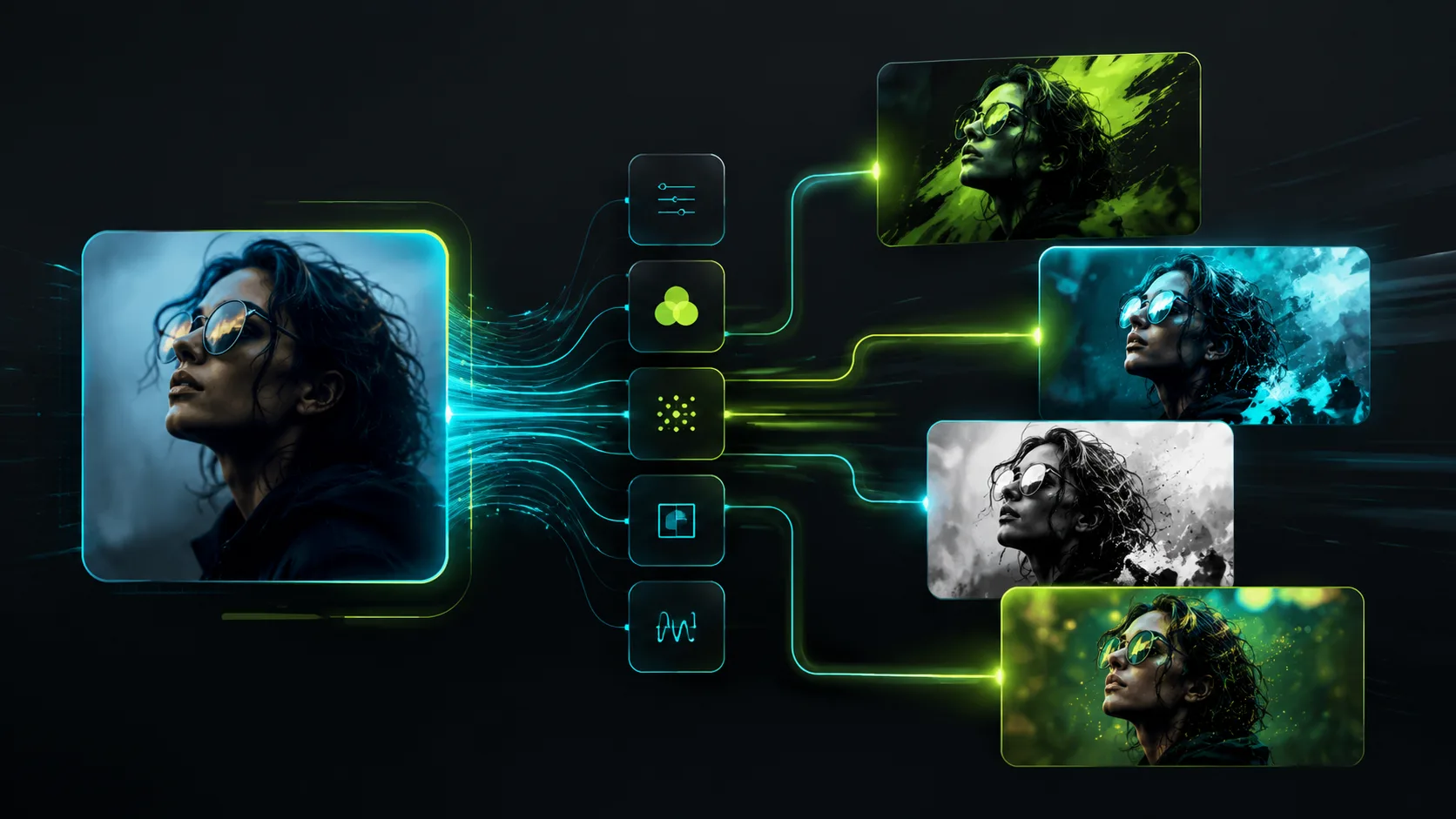
Turn one brief or reference into several fast visual directions.
Generate at 1K, 2K, or 4K so rough drafts and publish-ready exports can happen inside the same model page.
Generated cases
These routes stay focused on rapid image generation, reference-led changes, educational layouts, and subject-preserving variations.
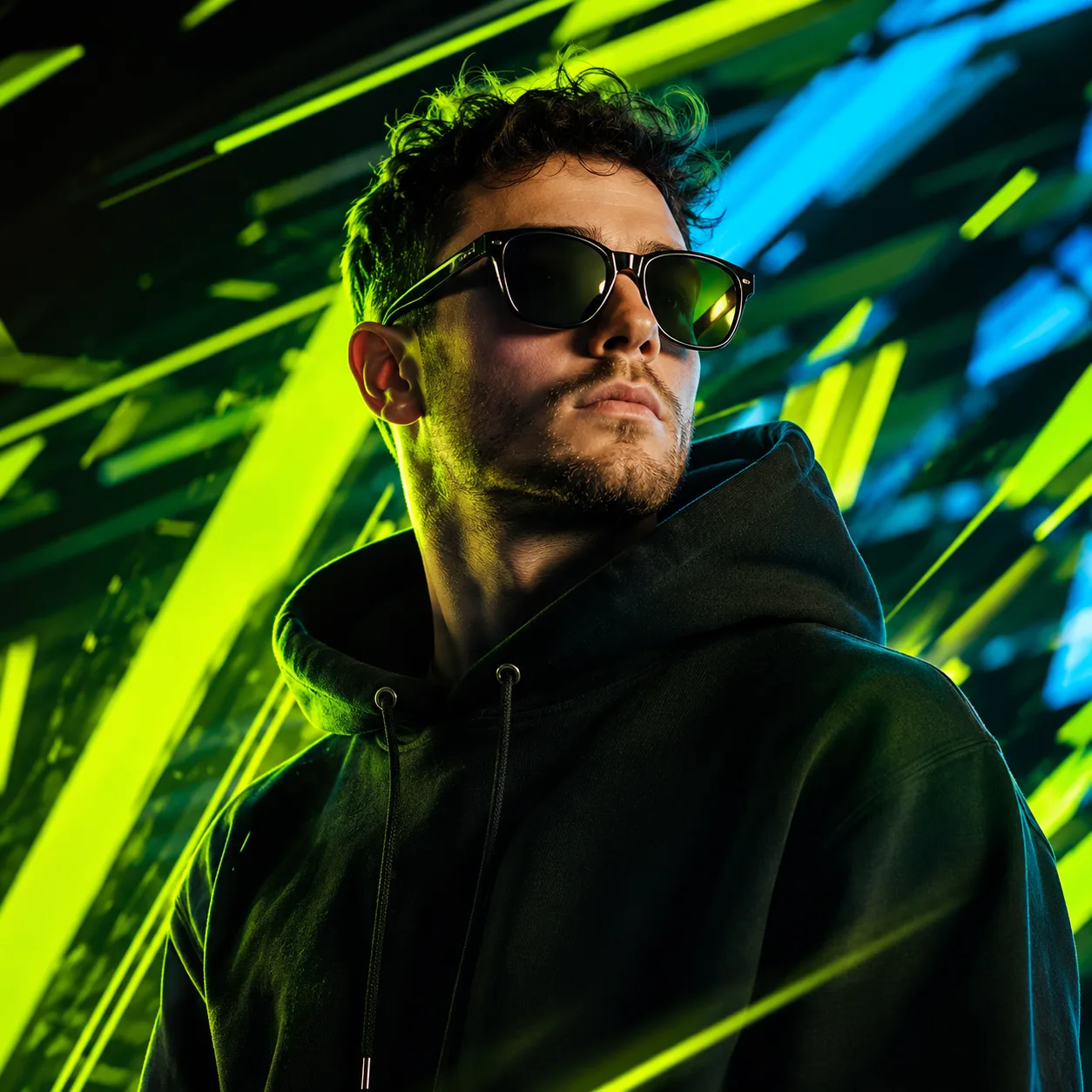
Case 1
A plain product frame becomes a faster campaign-ready product visual.

Case 2
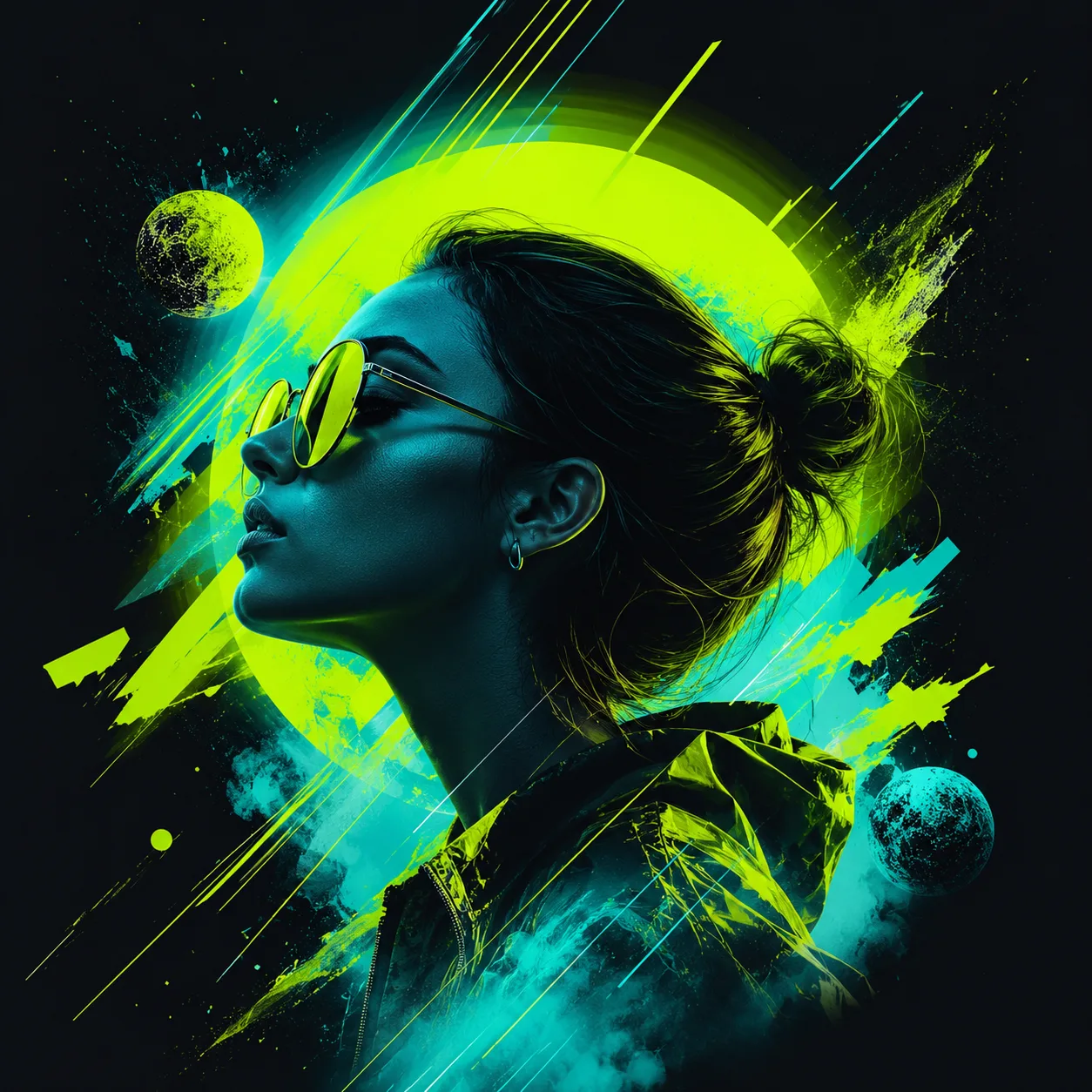
A basic creator portrait shifts into a fast social campaign visual.
Case 3
A simple poster draft becomes a brighter campaign key visual.
Model gallery
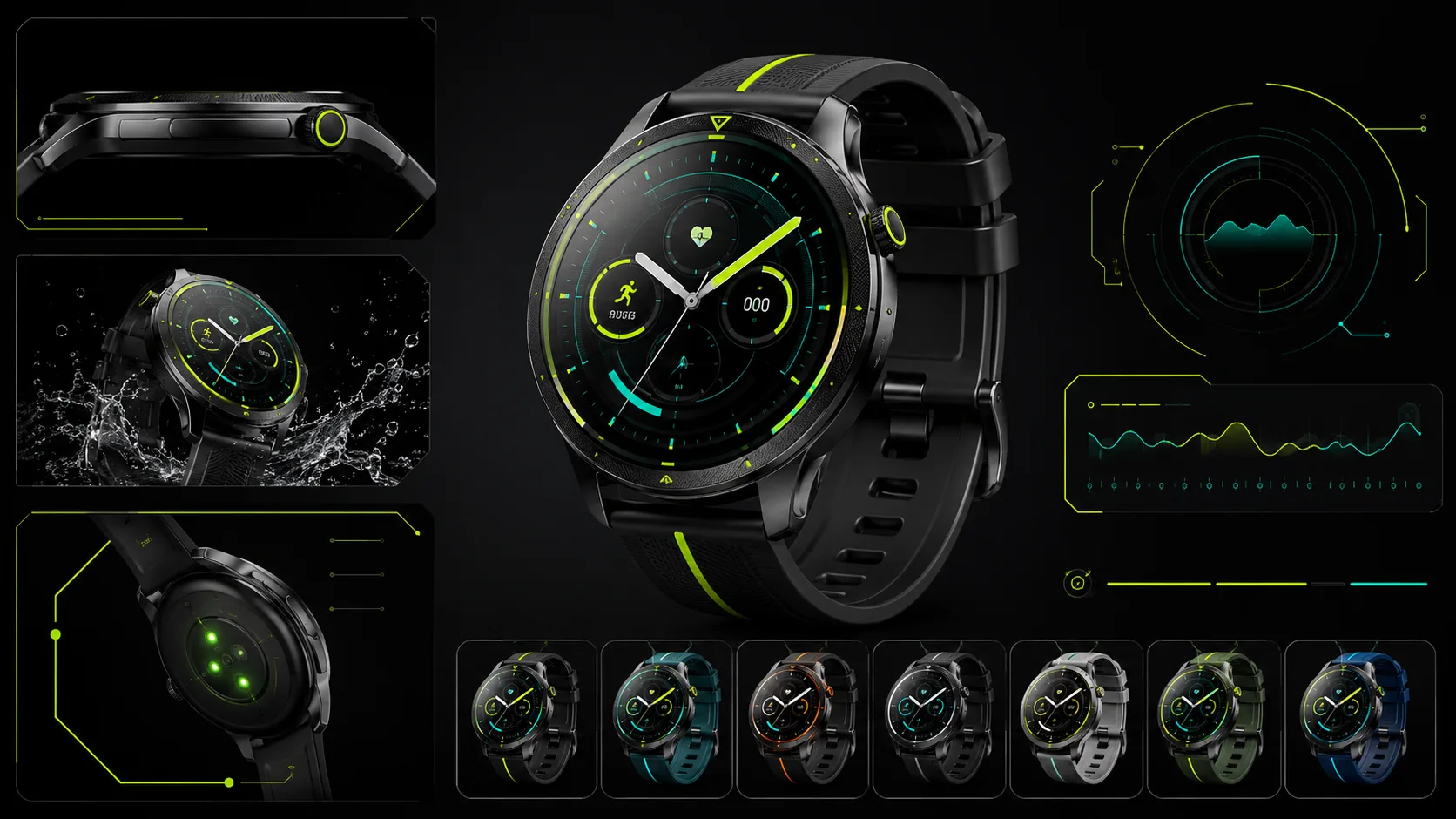
Each function is shown as a fast production loop: prompt quality, result accuracy, reference consistency, and iteration speed for Nano Banana 2 specifically.
Commerce
1 / 5Fast ecommerce image variations for product testing.
Prompt examples
Browse real prompt cases for this model, then open a case to copy the prompt or reuse it in the generator.
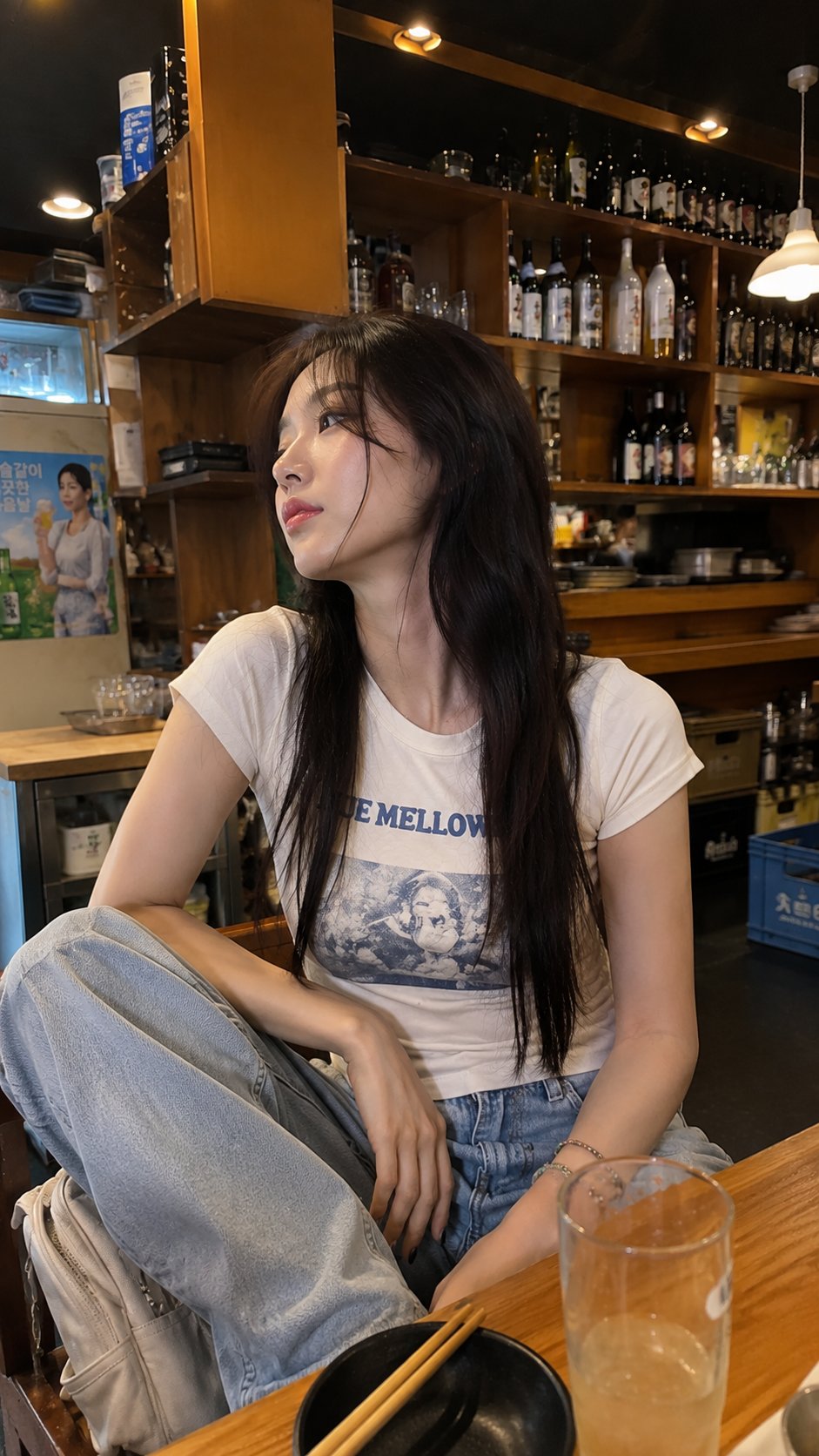
Smartphone photo of a young woman relaxing in a cozy café
A completely natural, photorealistic smartphone photo of a young East Asian woman sitting casually inside a cozy small café or restaurant, photographed spontaneously by a friend using a modern phone camera. She has very long, straight dark-brown hair with soft wispy bangs, naturally smooth skin, subtle everyday makeup, glossy pink lips, and a relaxed slightly dreamy expression while looking off to the side instead of directly at the camera. She wears a fitted off-white graphic T-shirt with a blue vintage-style print, loose light-wash baggy jeans, and colorful beaded bracelets on her wrist. She sits casually on a chair with her legs relaxed and her hands resting naturally near her knees, giving the photo an unposed everyday feeling. Behind her are warm wooden shelves filled with assorted bottles, jars, glasses, and small café items, creating a cozy lived-in restaurant atmosphere. Warm indoor ceiling and shelf lighting, realistic mixed exposure, natural shadows, slight smartphone HDR, mild wide-angle perspective, imperfect framing, subtle motion softness, authentic skin pores and fine hair strands, realistic fabric texture, ordinary background details, no studio setup, no cinematic lighting, no beauty filter, no excessive retouching, no artificial sharpness. The final image should look exactly like a real casual phone photograph someone took while sitting in the café, slightly imperfect but highly believable, vertical portrait composition, natural colors, realistic smartphone camera quality.
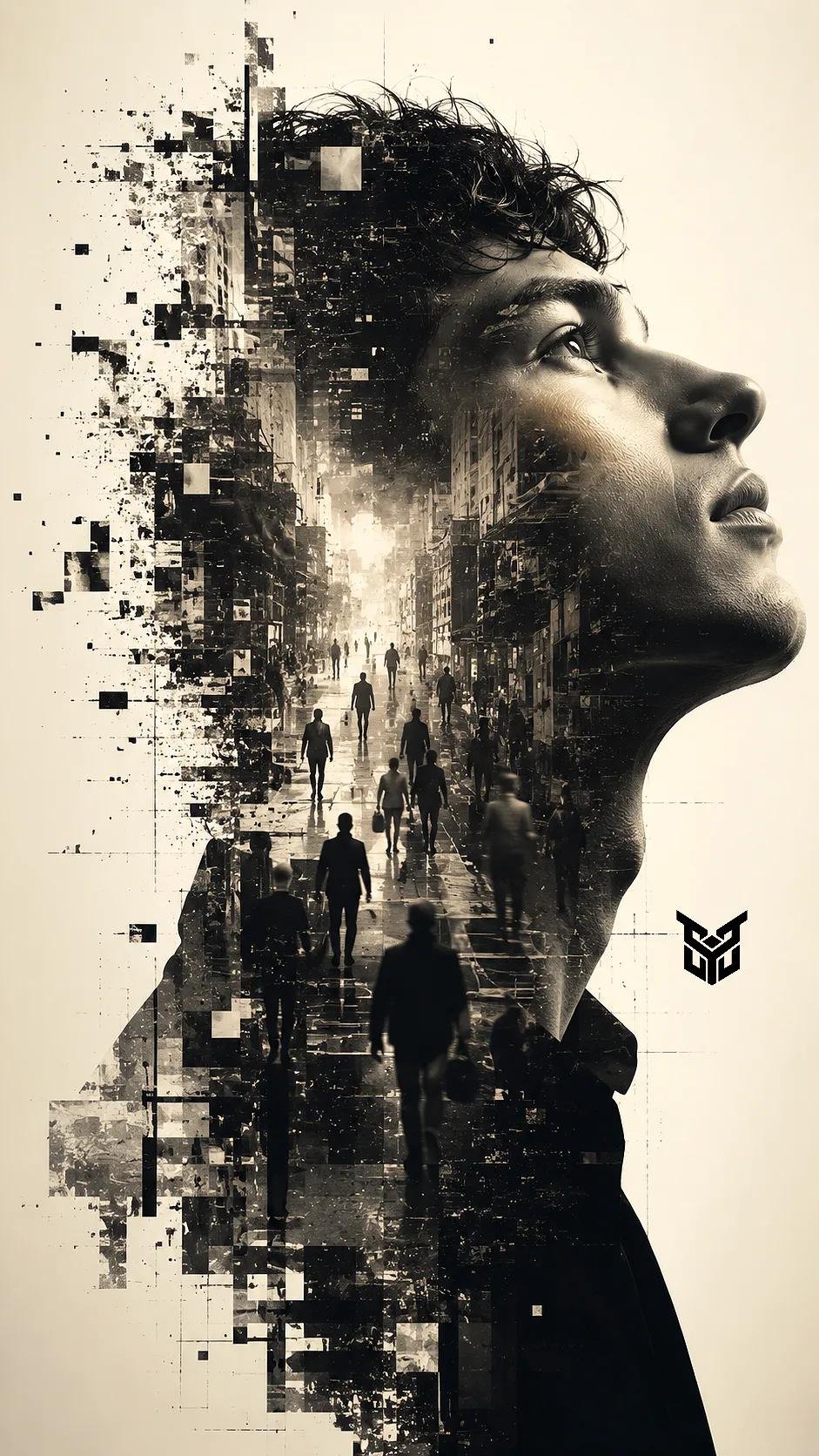
Fragmented Dissolution Silhouette Poster Design Prompt
Fragmented Dissolution: The left side of the silhouette should appear to be "glitching" or disintegrating into digital pixels and geometric shards, creating a sense of transition or decay. Lighting & Color Monochromatic Palette: A sophisticated black-and-white (sepia-toned) color grade with deep blacks and luminous, glowing whites. Cinematic Lighting: Use high-key lighting for the main profile to emphasize the smooth skin texture and the bridge of the nose, contrasting against the chaotic, dark details of the city inside. Technical Style Lens & Texture: Shot as if on a professional 85mm lens with a sharp focus on the facial profile and a "pencil drawing" textural overlay within the urban scenes. Atmosphere: Surreal, psychedelic, and editorial, evoking a sense of "personality and influence" or the "harsh truth about life" through complex visual layers.
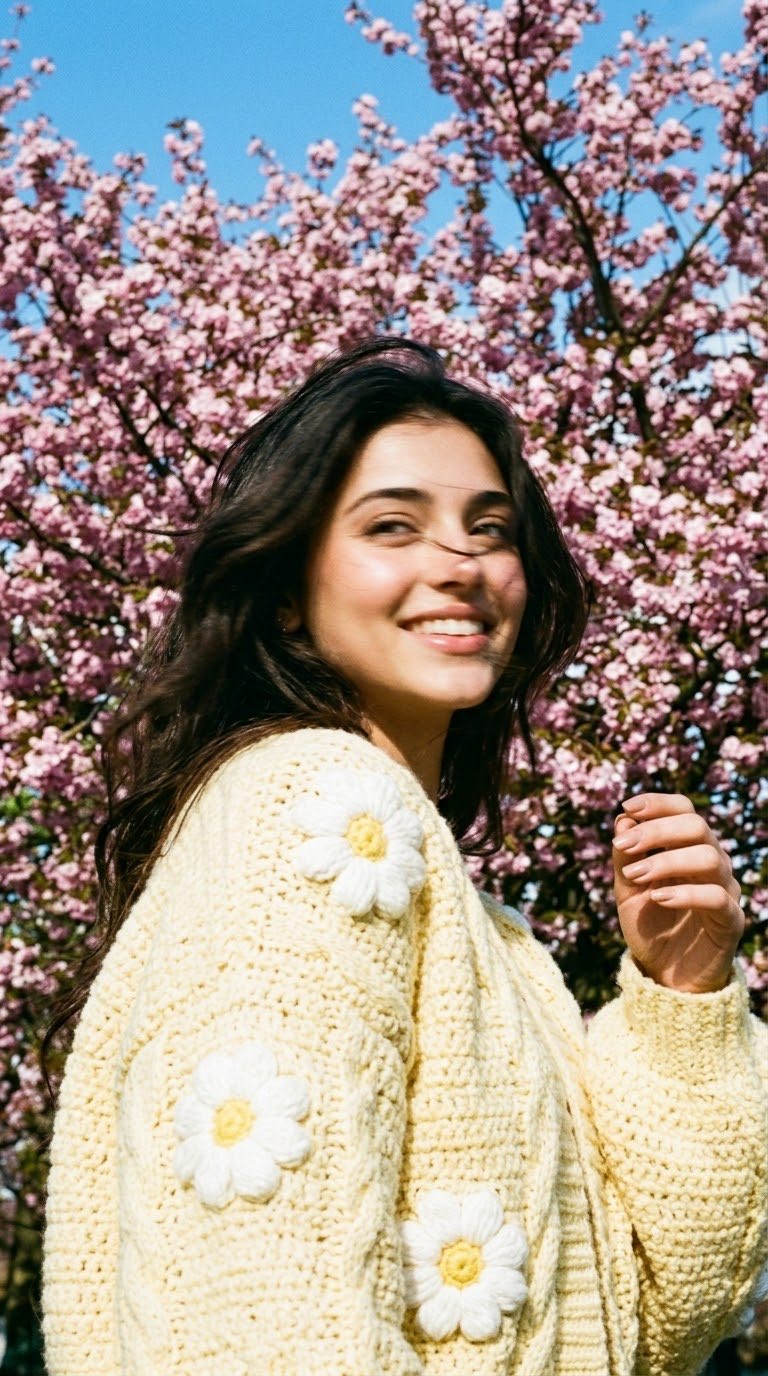
Candid Portrait Photography Nano Banana Prompt
Do not change the facial features, proportions, hair color, or hair type. 100% likeness. A spontaneous shot, captured by chance. Close-up, spring day, blooming tree. The girl is standing in a three-quarter profile. At the moment of capture, her head has suddenly turned to the side, her gaze directed away, with a gentle, sweet smile caught in motion. Strong motion blur on the face and hair, while the face remains recognizable through the blur. A strand of hair blown by the wind falls across her face. A cropped, oversized soft-yellow knitted cardigan with large three-dimensional crochet daisies — white petals with bright yellow raised centers, featuring chunky braided knit texture. Behind her is a tree covered in pink blossoms — sharp and highly detailed, serving as the visual anchor of the frame. A bright blue, cloudless sky fills the upper part of the frame. Warm natural sunlight softly falls across her face and highlights the texture of the knitted wool. Flawless natural makeup, natural skin with visible pores. No plastic-looking skin, no AI appearance. Film grain, vibrant spring color palette. –ar 9:16 –raw –style motion 50 Manicure: short square nails with a nude base.
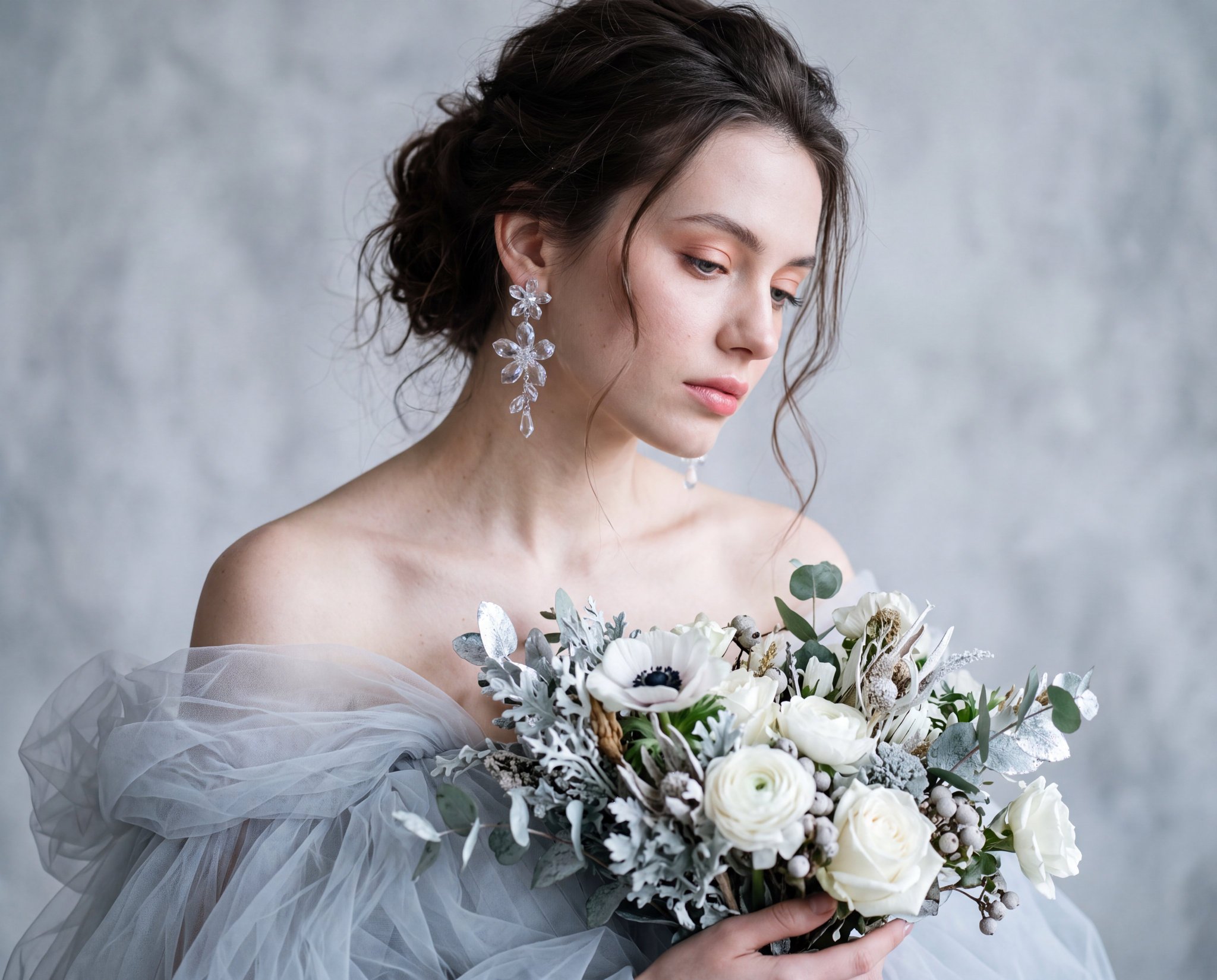
Ultra-Realistic Portrait with Ethereal Winter Bouquet
Create an ultra-realistic portrait using the reference image as the identity source. Preserve the subject's exact identity with absolute fidelity, including facial features, bone structure, facial proportions, skin tone, facial asymmetry, and unique characteristics. Do not beautify, reshape, retouch, age, rejuvenate, or modify any facial feature. Maintain authentic facial geometry, natural likeness, and complete identity consistency throughout the entire image. Subject & Pose: Shoulders relaxed and bare, body angled slightly forward, head tilted downward and to the right. Expression: Soft, melancholic, serene, gazing downward. Wardrobe & Styling: Voluminous pale grey/icy-blue tulle dress. Dangling transparent crystal floral earrings. Large winter-themed bouquet (white blooms, silver foliage). Hair & Makeup: Messy dark brown updo with loose, wispy tendrils. Fair skin with soft pink blush, glossed pink lips, and subtle peach/pink eye contour. Setting: Abstract, mottled grey-white textured studio wall. Lighting: Diffused, cool-toned window light originating from the right, casting a soft, ethereal glow and gentle shadows on the left. Camera & Optical: 85mm portrait lens, f/1.4 aperture, shallow depth of field focusing on the face and earrings. Realism Enhancers: Cinematic lighting, 32k resolution, subsurface scattering for skin, highly detailed fabric texture, volumetric glow.
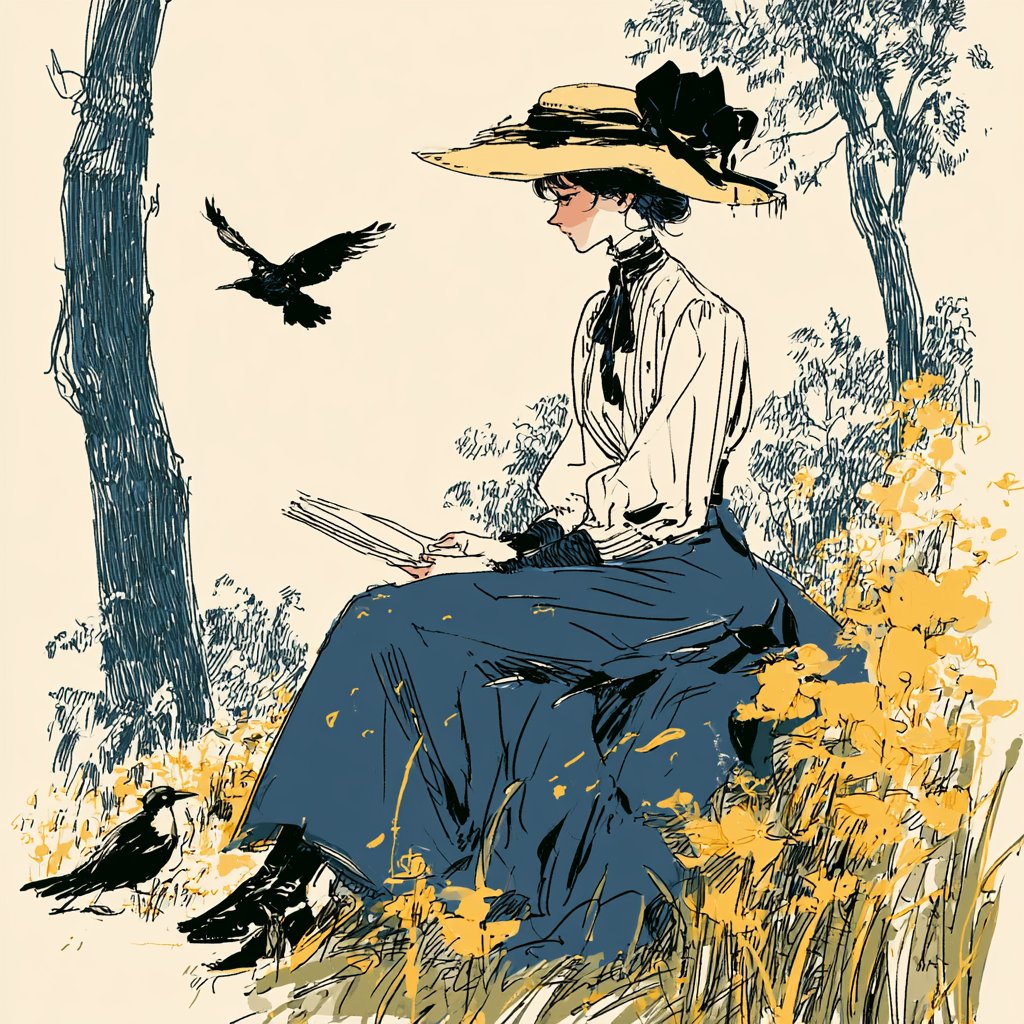
Vintage Editorial Illustration 3D Illustration Nano Banana Prompt
A beautiful mix of vintage editorial illustration, Edwardian fashion sketches and subtle manga influences, with expressive ink lines, a wonderfully limited palette and lots of negative space. It feels like an illustration from an old storybook reimagined through a contemporary lens.
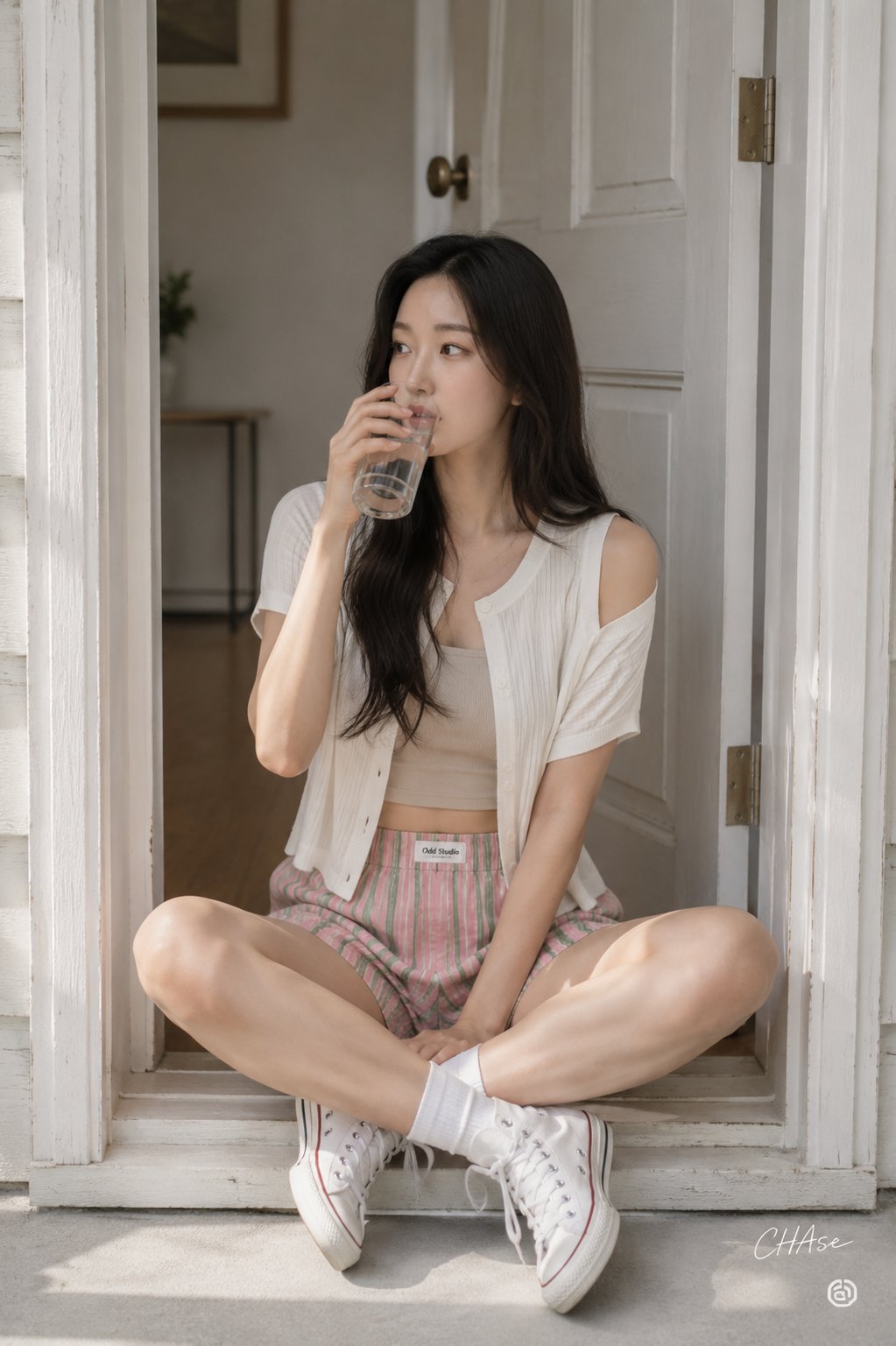
Natural Light Portrait in a White Classic Doorframe
[인물] 이미지 1 [싸인] 우측하단에는 Meta가 운영하는 Threads 로고가 작게 위치하고, 그 위에 흰색 필기체로 "CHAse"라고 싸인처럼 작게 적혀 있다. [인물의 포즈 및 표정] 포즈 및 구도: 순백색의 클래식한 도어 프레임 사이, 열려 있는 문의 문지방 위에 아빠다리로 앉은 인물의 전신 실루엣을 담아낸 정면 중심의 미디엄 전신 숏(Full-length Shot) 구도입니다. 자세: 자연스럽게 아빠다리를 한 채, 한 손을 입가 근처로 가져가 손에 든 물잔을 마시는 생각에 잠긴 포즈를 취하고 있습니다. 프레임의 조형적 대칭이 인물을 더욱 돋보이게 합니다. 표정: 카메라를 정면으로 보지 않고 화면 우측을 향해 아련하고 고요하게 시선을 던지는 차분한 눈빛입니다. 과장 없는 단정한 마스크에서 모던하고 시크한 시티 내추럴 감성이 연출됩니다. [인물 의상 및 소품] 의상: 상의: 미세한 세로 골지 패턴이 정교하게 들어간 순백의 반팔 단추 니트 카디건과 그 안에 매치한 누드 베이지 톤의 심플한 크롭 톱을 레이어링했습니다. 카디건의 루즈한 소매가 양 어깨 라인을 내추럴하게 노출시킵니다. 하의: 핑크와 그린 톤의 세로 스트라이프 패턴이 경쾌하게 들어간 빈티지 숏 팬츠를 착용했습니다. 팬츠 허리 밴드 중앙에 위치한 작은 화이트 라벨(Logo) 소품이 스타일리시한 포인트를 줍니다. 소품: 투명 물잔: 인물의 오른손에 쥐어진 투명한 유리 물잔이 시각적 투명함과 청량감을 강조합니다. 화이트 스니커즈 & 양말: 발목 위로 올라오는 심플한 순백의 코튼 크루 소크스(Socks)와 스크래치가 자연스러운 클래식 화이트 하이탑 스니커즈를 매치하여 내추럴하고 프라이빗한 홈웨어 감성을 극대화했습니다. [인물 헤어스타일 및 메이크업 디테일] 헤어: 5:5 가르마를 타고 정갈하게 어깨와 등 뒤로 떨어지는 차분한 젯 블랙 / 다크 브라운 톤의 스트레이트 롱 헤어스타일입니다. 잔머리 없이 단정하게 떨어지는 모발 라인이 미니멀 미학을 더합니다. 메이크업: 결점을 완벽히 정돈한 깨끗하고 투명한 쿨톤 스킨 베이스에, 눈매를 연하게 강조한 브라운 음영 섀도우 메이크업을 매치했습니다. 입술은 본연의 혈색을 살린 차분한 누드 코랄 핑크 립으로 정갈하게 마감했습니다. [조명 및 빛 방향] 광원: 화면 좌측 전면에서 은은하고 온화하게 스며드는 창가 자연 확산광 및 스튜디오 쿨톤 앰비언트 조명(Soft Diffused Daylight)입니다. 효과: 인물의 피부 결, 골지 니트의 텍스처, 그리고 뒤편 흰색 나무 도어의 은은한 도장면 위로 차분한 하이라이트를 형성하며 모던하고 단정한 명암 대비를 자아냅니다. [질감과 색감 무드 (핵심 질감 디테일)] 색채: 의상과 양말의 깔끔한 스노우 화이트(White), 크롭 톱의 따스한 베이지(Beige), 스트라이프 팬츠의 핑크·그린, 그리고 배경의 차분한 회백색이 이루는 '모던 시티 내추럴(Modern City Natural)' 색채 무드입니다. 질감 디테일 (특수 분석): 직조 및 니트 질감: 카디건의 촘촘한 세로 골지(Ribbed) 니트 텍스처와 코튼 양말의 부드럽고 보송보송한 면 직조 질감. 나무 질감: 인물 뒤편 클래식 나무 도어 프레임의 매끄러우면서도 도장면 아래로 은은하게 비치는 나무 나뭇결 질감. 패브릭 질감: 스트라이프 팬츠 원단의 가벼우면서도 밀도 높은 면 패브릭 질감. [필름 및 카메라 렌즈 심도, 앵글] 구도 및 앵글: 테라스 바닥에 앉아 있는 피사체의 눈높이(Eye-level)와 맞춘 수평 정면 구도로, 안정적이고 정갈한 포트레이트 화각을 제공합니다. 특징: 표준 포트레이트 화각의 명확한 초점(Sharp Focus)을 통해 모델의 이목구비, 니트 골지 결, 양말의 직조 감촉, 도어 프레임의 나무 질감까지 선명하게 포착했으며, 배경 벽면은 단정하게 정돈되어 피사체로의 몰입감을 극대화합니다. [배경 및 스튜디오 레이아웃 요소] 공간: 군더더기 없는 미니멀하고 클래식한 인테리어의 화이트 스튜디오 테라스 내부입니다. 디테일: 인물 뒤편의 깔끔한 하얀 도어 프레임과 내부의 따스한 원목 바닥재, 미니멀한 화이트 벽면이 공간의 정갈함을 보조합니다.
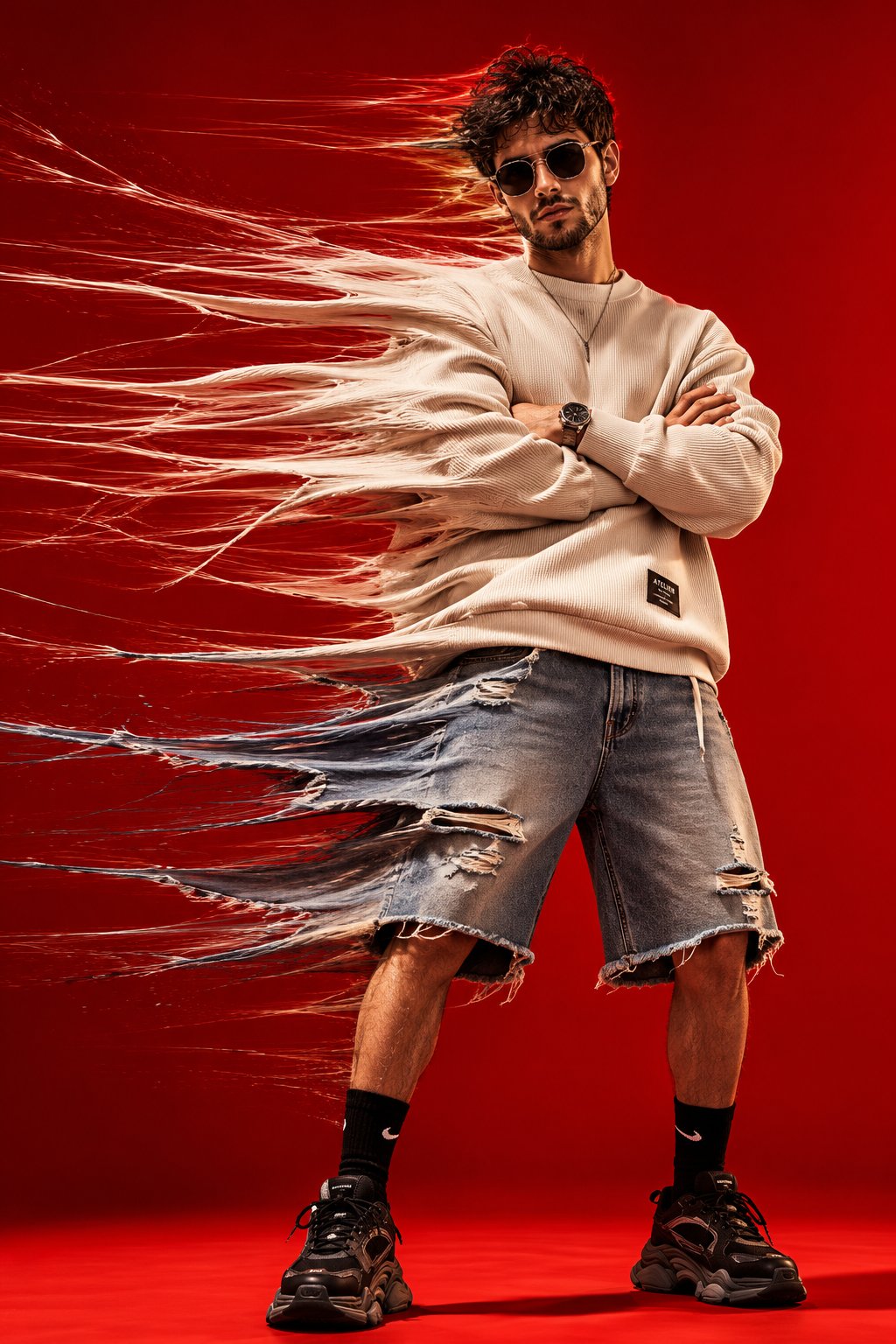
High-Fashion Portrait with Extreme Horizontal Motion Stretch Effect
High-fashion conceptual studio portrait of a stylish young man standing confidently against a seamless vivid red background, wearing an oversized cream ribbed sweatshirt, loose knee-length distressed denim shorts, black crew socks, chunky black sneakers, a minimalist necklace and sleek dark futuristic sunglasses, arms folded across his chest, legs slightly apart, calm and confident expression. Create an extreme horizontal time-stretch motion effect pulling the entire left side of his body and clothing toward the left: stretch the sweatshirt sleeves, torso fabric, denim shorts, hair and silhouette into long flowing translucent fabric fibers and fine motion trails, while keeping his face, sunglasses, crossed arms, central torso, legs and shoes sharp, clean and anatomically realistic. The stretched fabric should look like physical textile fibers being dragged through space, with hundreds of layered strands, subtle transparency and realistic folds dissolving into motion blur. Strong studio lighting, vivid red monochrome backdrop and floor, dramatic shadows, crisp textile texture, cinematic contrast, experimental fashion photography, surreal kinetic movement, luxury streetwear editorial campaign, analog film grain, photorealistic skin, high detail, professional 35mm fashion photography, dynamic full-body composition, vertical 4:5.
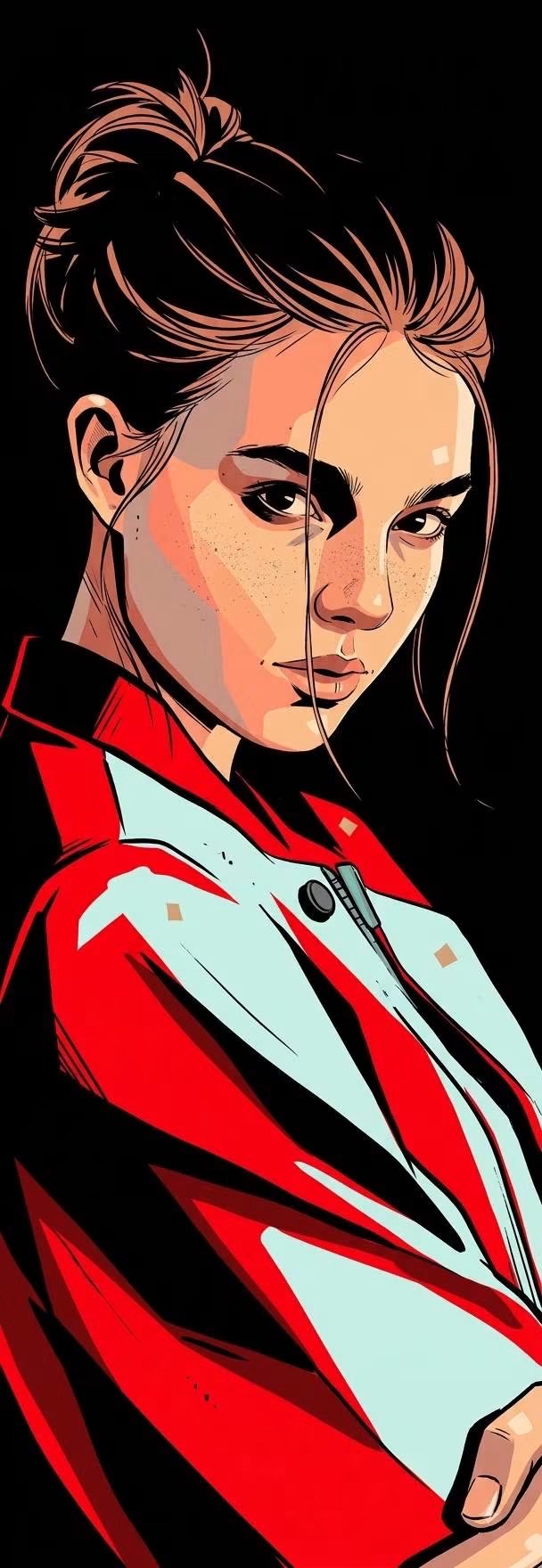
Graphic Novel Portrait Poster Nano Banana Prompt
Bold contemporary graphic portrait illustration with a striking high-contrast comic-book / editorial ink aesthetic. Combine clean vector-like color blocking, expressive hand-drawn ink contours, sharp cel-shading, selective stippling, and subtle engraved line textures. The artwork should feel like a premium modern graphic-novel portrait rather than a photorealistic painting. Use an extremely dominant pure deep black background, creating a dramatic silhouette around the subject. The black background should merge naturally with the deepest shadow areas of the artwork. Exact color language Preserve this restrained, high-contrast palette: deep pure black — background, sunglasses, deepest shadows, outlines, clothing shadows warm peach / light salmon skin — primary skin tone soft coral-peach — illuminated skin planes muted dusty peach — secondary facial modeling intense vivid red / scarlet red — dominant clothing accents pale desaturated cyan / mint blue — shirt and selected cool accents muted turquoise-gray — subtle reflective details dark charcoal gray — secondary linework and transitional shading tiny amounts of warm beige for restrained highlights Keep the colors solid, flat, and highly controlled, with minimal tonal variation. No rainbow palette, no neon multicolor effect, and no glossy photorealistic color grading. Rendering technique Construct the subject primarily from large, clean, sharply separated color planes. Use bold black areas to define dramatic facial shadows, neck shadows, eye sockets, beard/stubble regions, clothing interiors, and silhouettes. Employ hard-edged cel shading rather than soft airbrushed gradients. Shadows should appear as deliberate graphic shapes with strong angular boundaries. Add subtle fine stippling and tiny dot textures selectively across skin, facial hair, and transitional areas to create tactile printed-illustration character. Linework Use precise black ink outlines with variable thickness: bold contour lines around the main silhouette medium-weight structural facial lines extremely fine lines for wrinkles, stubble, tattoos, fabric seams, and small details occasional slightly rough hand-inked marks The linework should remain crisp and confident, with controlled imperfections that preserve a handmade comic-illustration feeling. Facial rendering Faces should retain recognizable anatomical structure while being transformed into stylized graphic planes. Model the nose, cheekbones, jaw, lips, forehead, and neck using combinations of warm peach planes and sharply contrasting black shadow masses. Highlights should be small, flat, opaque shapes, not soft photographic reflections. Clothing and accessories Clothing should use large saturated red graphic shapes contrasted against deep black shadows and pale muted cyan elements. Fabric folds are suggested through angular black lines, restrained darker-red shapes, and selective highlight strokes. Metallic or reflective accessories should remain simplified into black, gray, muted turquoise, and tiny pale highlights. Overall aesthetic High-contrast graphic portrait + modern comic-book illustration + premium editorial poster art + bold ink drawing + flat color blocking + cel shading + subtle stippling + sophisticated limited palette. The final result should feel powerful, masculine/fashion-editorial, dramatic, clean, rebellious, and visually iconic, with the subject emerging sharply from the black background. No watercolor, no soft painterly rendering, no realistic photographic texture, no 3D rendering, no smooth gradients, no excessive colors, no glow effects, no text, no logo, no watermark. Aspect ratio: 9:26 — extremely tall vertical composition. Background: solid deep black.
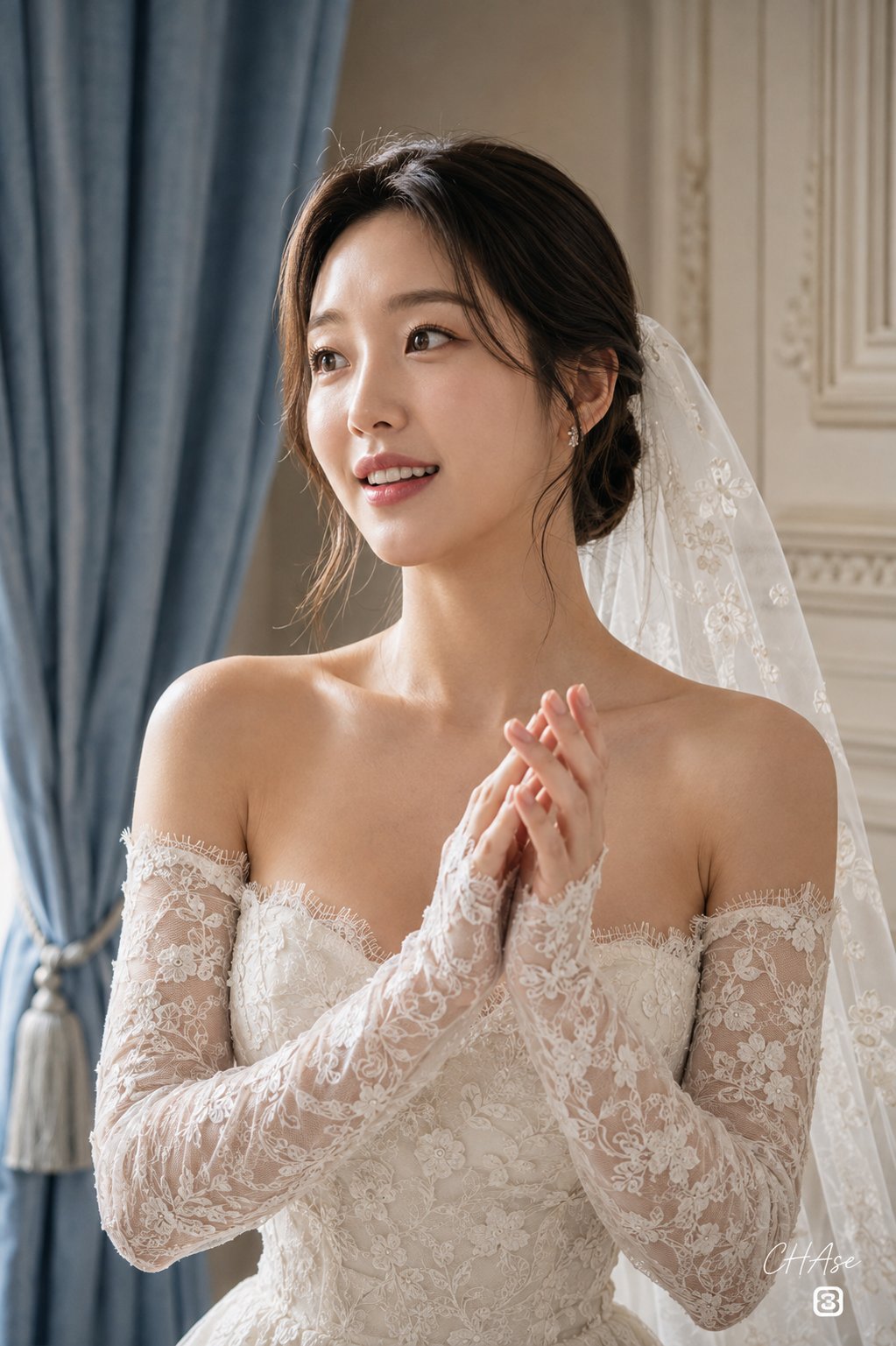
Realistic Bride Portrait with Floral Lace Wedding Dress and Sheer Veil
[인물] 이미지 1, 이미지 2참조 [싸인] 우측하단에는 Meta가 운영하는 Threads 로고가 작게 위치하고, 그 위에 흰색 필기체로 "CHAse"라고 싸인처럼 작게 적혀 있다. 1. [인물의 포즈 및 표정] 구도 및 자세: 상체를 좌측으로 반측면(3/4 앵글) 돌린 상태에서 어깨와 쇄골을 부드럽게 세우고, 두 손을 가슴 앞쪽으로 모아 가볍게 손뼉을 치거나 환호하듯 모아쥔 생동감 넘치는 실사 웨딩 포트레이트 바스트~미디엄 클로즈업 숏 구도입니다. 손동작 및 디테일: 두 손을 살포시 겹쳐 가슴 전면에서 자연스럽게 움직이는 순간을 포착하여, 정지된 연출이 아닌 실제 현장의 설렘과 벅찬 감정이 묻어나는 자연스러운 찰나의 동작을 연출합니다. 표정 및 무드: 2D 그래픽이나 인위적인 과장을 완전히 배제한 극실사 인물의 표정입니다. 시선을 좌측 전방으로 향한 채 입술을 살짝 벌려 화사하고 수줍은 미소를 짓고 있으며, 반짝이는 눈빛과 맑은 표정으로 결혼을 앞둔 신부의 벅찬 행복감과 로맨틱하고 우아한 감성을 사실적으로 표현합니다. 2. [인물 의상] 상·하의 및 드레스 디테일: 섬세한 플로럴 자수가 정교하게 수놓인 오프숄더(Off-the-shoulder) 스위트하트 넥라인의 화이트/아이보리 레이스 웨딩드레스를 착용하고 있습니다. 넥라인과 가슴선 테두리에는 가느다란 아이래시(Eyelash) 레이스 프릴이 촘촘하게 마감되어 고급스러움을 극대화합니다. 소매 및 베일: 드레스와 동일한 패턴의 시스루 플로럴 레이스 롱 슬리브 글러브(팔 토시 형태의 장갑)가 손등부터 팔 상완까지 타이트하게 감싸고 있으며, 머리 뒤편으로는 머리 결을 따라 등 뒤로 길게 흘러내리는 얇고 투명한 튤 소재의 플로럴 자수 레이스 베일(면사포)이 입체적으로 드리워져 있습니다. 3. [인물 헤어스타일 및 메이크업 디테일] 헤어: 가르마를 단정하게 타서 두상 라인을 깔끔하게 정돈하고 뒤로 묶어 올린 클래식한 브라이덜 로우 번/업스타일 헤어입니다. 귀 옆과 관자놀이 라인을 따라 미세한 잔머리 가닥들이 뺨 위로 자연스럽게 흘러내려 실제 사람 모발 특유의 리얼한 디테일을 보여줍니다. 메이크업 & 피부 표현: CG 특유의 매끄러운 플라스틱 질감 없이, 실제 피부 본연의 미세한 모공과 결, 은은한 수분광이 투명하게 비치는 리얼 포토리얼리스틱 세미 글로우 스킨 베이스입니다. 눈가를 맑게 감싸는 로즈 핑크 섀도우와 또렷한 속눈썹, 양 볼을 사랑스럽게 물들인 수채화 톤의 핑크 블러셔, 그리고 본연의 입술 결을 살린 촉촉한 글로시 로즈베리 립으로 단아하고 고급스러운 신부의 미모를 완성했습니다. 4. [조명 및 빛 방향] 광원 및 연출: 좌측 전면 상단에서 실내로 부드럽게 스며드는 자연광과 고급 스튜디오 소프트박스 디퓨징 조명이 어우러진 은은한 앰비언트 라이트입니다. 하이라이트/그림자: 인물의 콧대, 이마, 도드라진 쇄골 라인과 어깨 윤곽선, 레이스 자수의 도톰한 단면에 맑고 깨끗한 소프트 하이라이트를 형성하며, 뒤편 실내 공간과 커튼 주름 사이에는 억지스럽지 않은 자연스러운 음영을 드리워 인물의 우아한 입체감을 극대화합니다. 5. [질감과 색감 무드] 색채: 배경의 차분한 더스티 블루(Dusty Blue) 커튼과 벽면의 앤틱 화이트, 드레스의 순백 아이보리(Ivory), 그리고 신부의 화사한 웜-핑크 톤 스킨이 조화를 이루는 고품격 클래식 브라이덜 파스텔 팔레트입니다. 텍스처: 레이스 자수 원단의 오돌토돌한 입체감, 베일 튤망의 미세한 그물망 텍스처, 벨벳/린넨 커튼의 도톰한 패브릭 결, 쇄골과 어깨 피부의 매끄러운 촉감, 그리고 프리미엄 포트레이트 필름 특유의 촘촘하고 유기적인 미세 필름 그레인(Film Grain) 질감이 층층이 살아있습니다. 6. [필름 및 카메라 렌즈 심도, 앵글] 카메라 세팅: 35mm 풀프레임 포트레이트 카메라, 85mm f/2.0 인물 단렌즈. 앵글 및 심도: 인물의 시선 높이에 평행하게 맞춘 안정적인 아이레벨(Eye-level) 클로즈업 앵글입니다. 얕은 심도를 적용하여 신부의 이목구비, 맑은 눈동자, 뺨의 윤기와 드레스 상단의 레이스 자수에 날카롭게(Sharp) 초점을 맞추고, 살짝 움직이는 손동작의 미세한 모션감과 뒤편의 실내 배경은 부드러운 광학 보케(Bokeh)로 처리해 피사체에 완벽한 시각적 집중을 부여합니다. 7. [배경 및 레이아웃 요소] 배경 공간: 유럽풍 클래식 인테리어가 돋보이는 고급스러운 브라이덜 스위트룸/스튜디오 실내 배경입니다. 소품 및 구조: 인물 좌측 뒤편에는 묵직한 주름을 그리며 세로로 길게 늘어진 더스티 스카이 블루 컬러의 도톰한 커튼이 자리하며, 우측 뒤편으로는 섬세한 음각 조각과 세로 홈(Fluted) 몰딩이 들어간 앤틱 화이트 웨인스코팅 벽면이 배치되어 정갈하고 로맨틱한 실내 무드를 완성합니다.
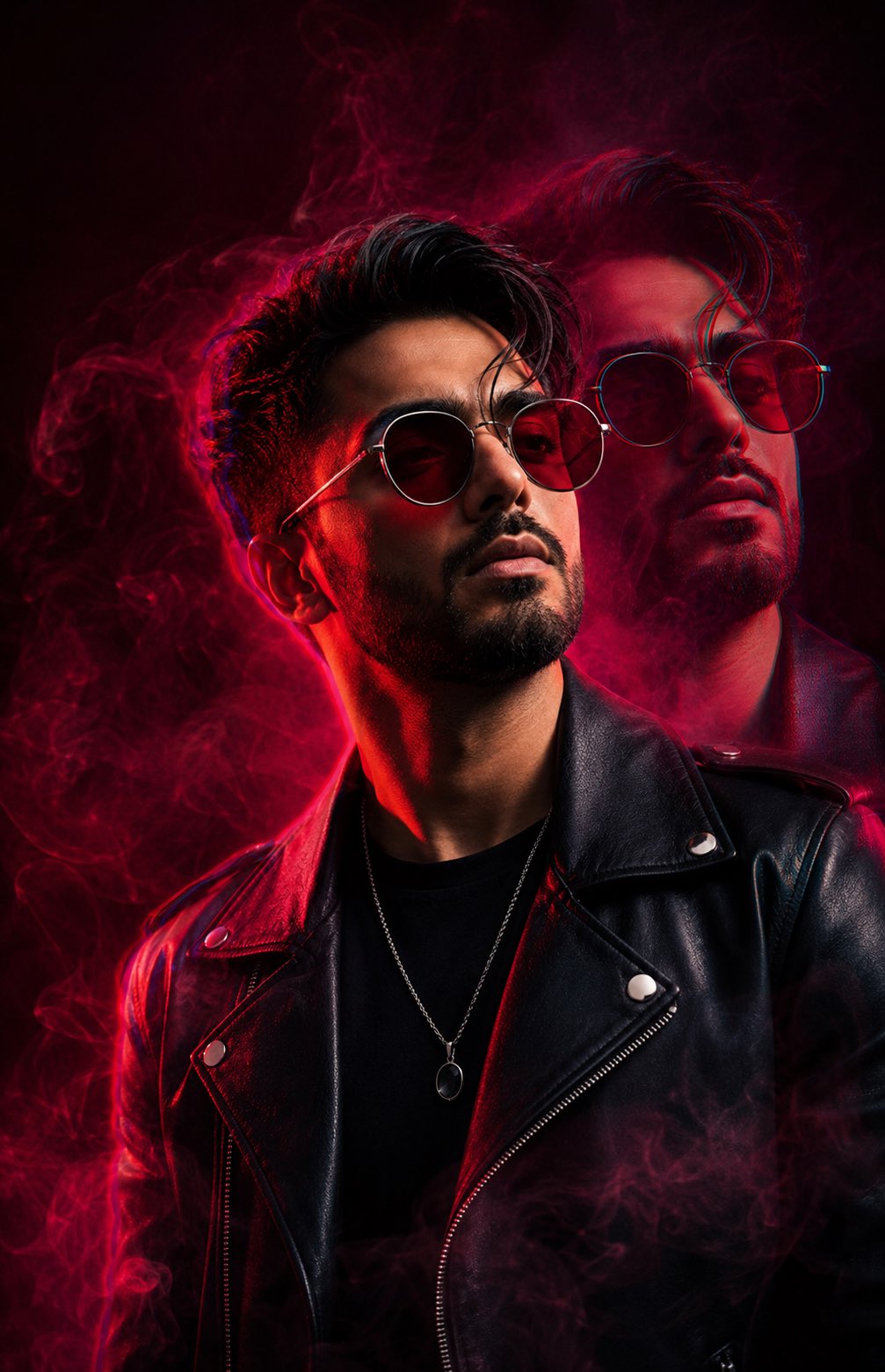
Double Exposure Portrait Poster Nano Banana Prompt
Use my uploaded face image as the primary facial identity reference. Preserve my exact facial identity with maximum accuracy. Create a hyper-realistic cinematic double-exposure portrait with a sharp 3/4 side profile and a slightly offset translucent duplicate behind me. I am wearing round crimson-tinted sunglasses, a black leather biker jacket, a black crew-neck shirt, and a silver pendant necklace. Surround me with volumetric crimson and magenta smoke against a deep black background. Use intense neon crimson and magenta lighting, strong rim light, dramatic shadows, subtle RGB edge separation, prism refraction, and cinematic bloom. Style it like a luxury fashion editorial, cyberpunk fragrance campaign, and premium album cover. Ultra-detailed skin, realistic beard and hair, HDR, ray-traced lighting, shallow depth of field, 8K RAW, masterpiece, magazine-quality. Negative Prompt: blurry, cartoon, CGI, painting, plastic skin, identity change, distorted face, duplicate facial features, watermark, logo, text, low quality, oversaturated colors.
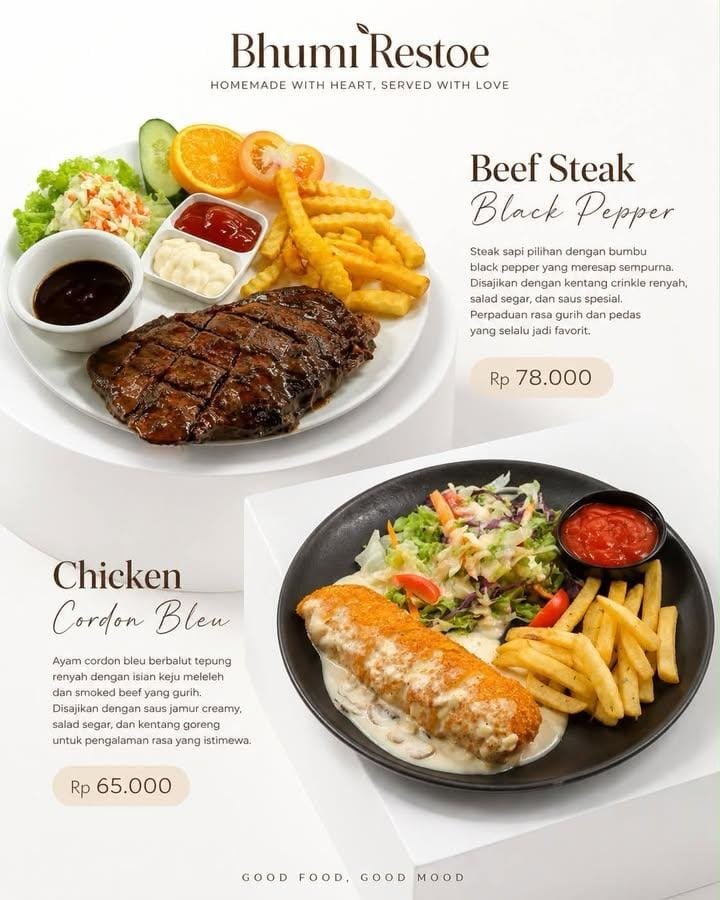
Product Promotional Poster Food Nano Banana Prompt
Brand Name : Product Name : Price : Create a promotional poster using the uploaded photo. Do not alter the product, logo, packaging, shape, texture, or colors in any way. Arrange the products on minimalist white pedestals with a layered composition to create a more premium look and enhance visual depth. Adjust the camera angle to make the products appear more attractive, tempting, and appetizing. Include a header featuring the brand/store name, an automatically generated tagline, the product name, and a dedicated description for each product consisting of at least three sentences. Use a pure white background with clean studio lighting and soft, natural shadows. Leave sufficient negative space to maintain an elegant and uncluttered layout. Add a three-sentence promotional description, include a price label, and use minimalist, modern, elegant typography with a soft, refined appearance rather than a rigid style. Aspect Ratio: 4:5.
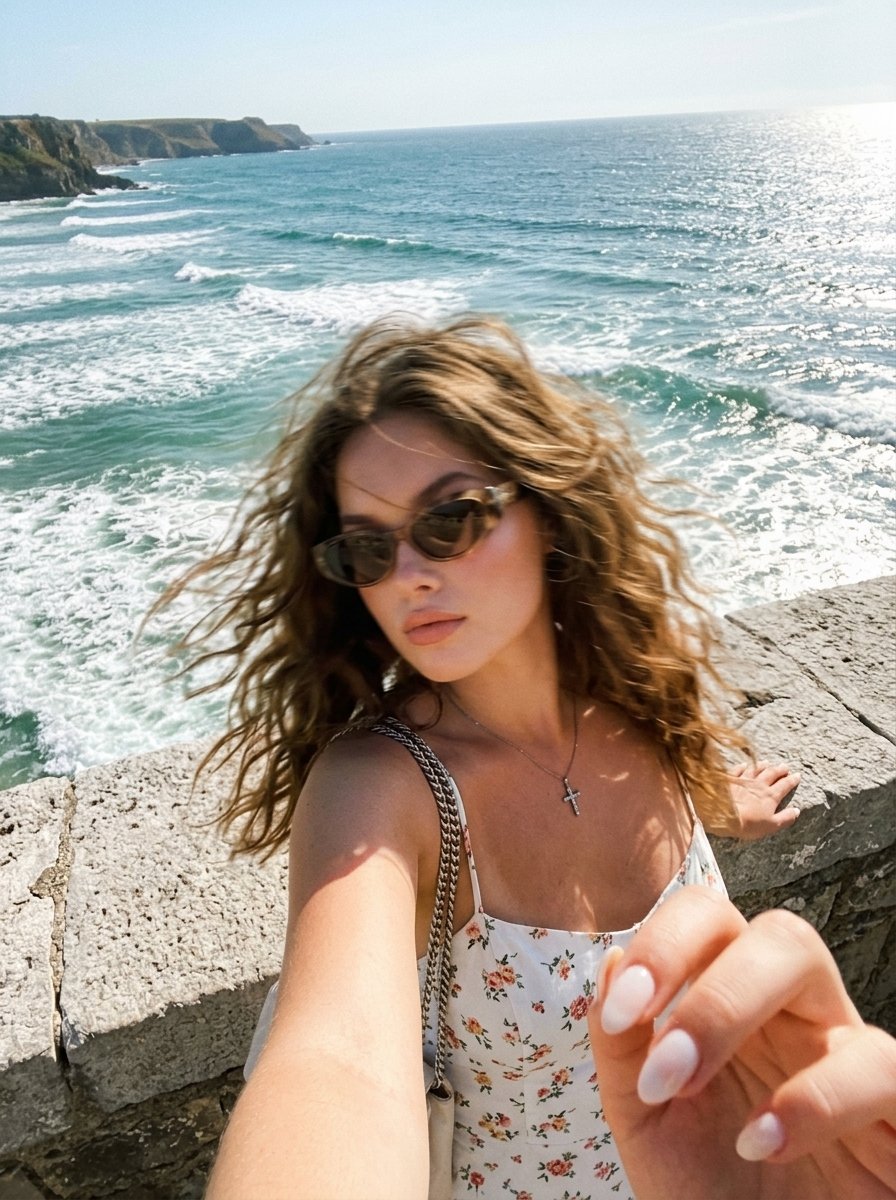
High-Angle Sea Selfie Portrait AI Image Prompt
Do not change the facial features, facial proportions, or hair color. A spontaneous shot that feels like a vague memory or a dream, a dreamlike memory, as if it were accidentally captured. Ultra-realistic photography with a cinematic film-grain effect. A portrait selfie scene by the sea, photographed from a high angle above the face, with the camera held at arm's length (the right hand is visible in the bottom-right corner), pointing downward and slightly to the left, creating diagonal composition lines and the subtle perspective distortion typical of a smartphone. The young woman is leaning against a massive light-gray stone parapet with a rounded edge, which occupies a significant portion of the left side of the frame. Her very long hair is blowing in the wind. She wears stylish sunglasses, has sun-kissed skin, long fox-effect eyelashes, and glossy lips. Focus: the camera is focused exclusively on the landscape—the open sea, rolling waves, white sea foam, and the distant horizon. The background is perfectly sharp and detailed, while the woman is completely out of focus, appearing as a soft, blurry silhouette with no defined facial details, enhanced by motion blur, as though the camera locked focus on the ocean behind her instead of on her. She wears a light white dress with thin straps and a delicate pink/red floral print, a chain-strap shoulder bag, and a cross pendant necklace. In crisp focus is a wide view of the open sea with deep blue and turquoise tones, textured waves with white foam, the horizon positioned in the upper third of the frame, a bright clear sky, and a coastal cliff or scenic viewpoint. Strong sunlight creates sparkling reflections across the water, with the warm tones of her skin and white dress contrasting beautifully against the cool blues of the sea. Prominent film grain, dreamy softness, and the feeling of a fading memory. Vertical 9:16 composition. Raw style. Motion style strength 60. Milky almond-shaped manicure, neat, symmetrical, and well-groomed.
Google launch signal
The highlighted case turns Google launch material into a prompt pattern you can test immediately in the generator above.
Nano route
Google uses a water-cycle infographic example to show Nano Banana 2 turning knowledge into a clear educational visual with guided arrows and readable structure.
Fast prompt pattern
Create high-quality flat lay photography that explains the water cycle in simple steps on a clean light gray textured background, with hand-drawn black arrows guiding the viewer from left to right.
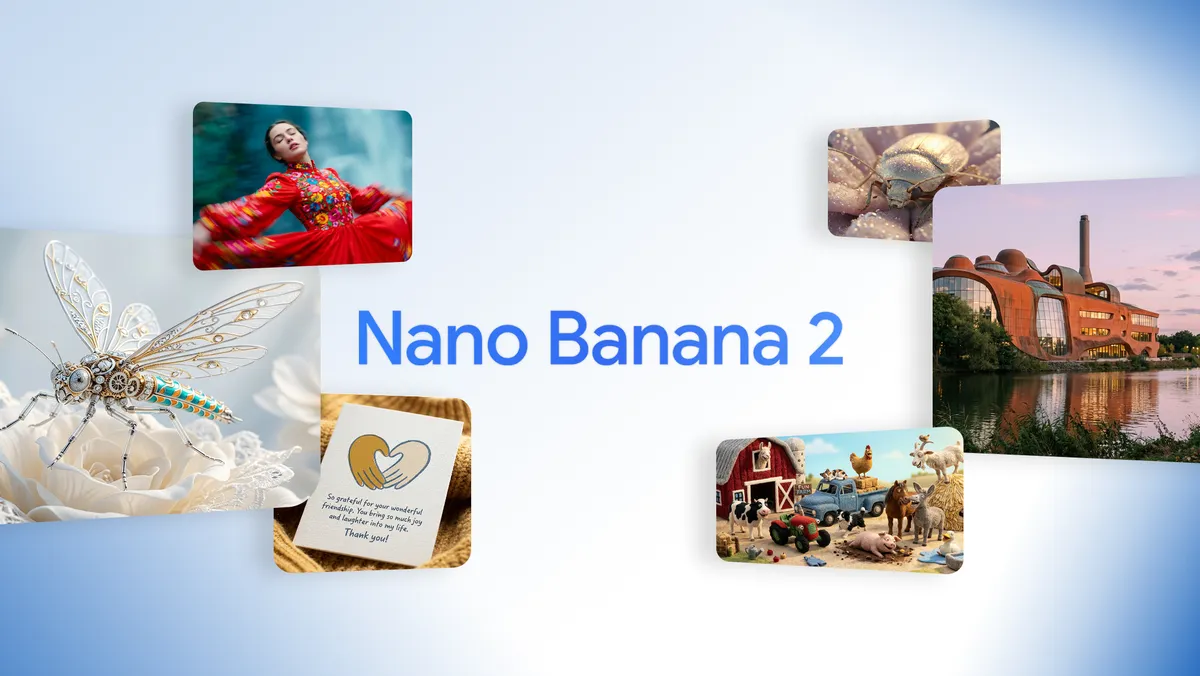
Nano operating notes
Keep prompts short, change one creative variable per pass, and use references when the subject or composition needs to survive rapid iteration.
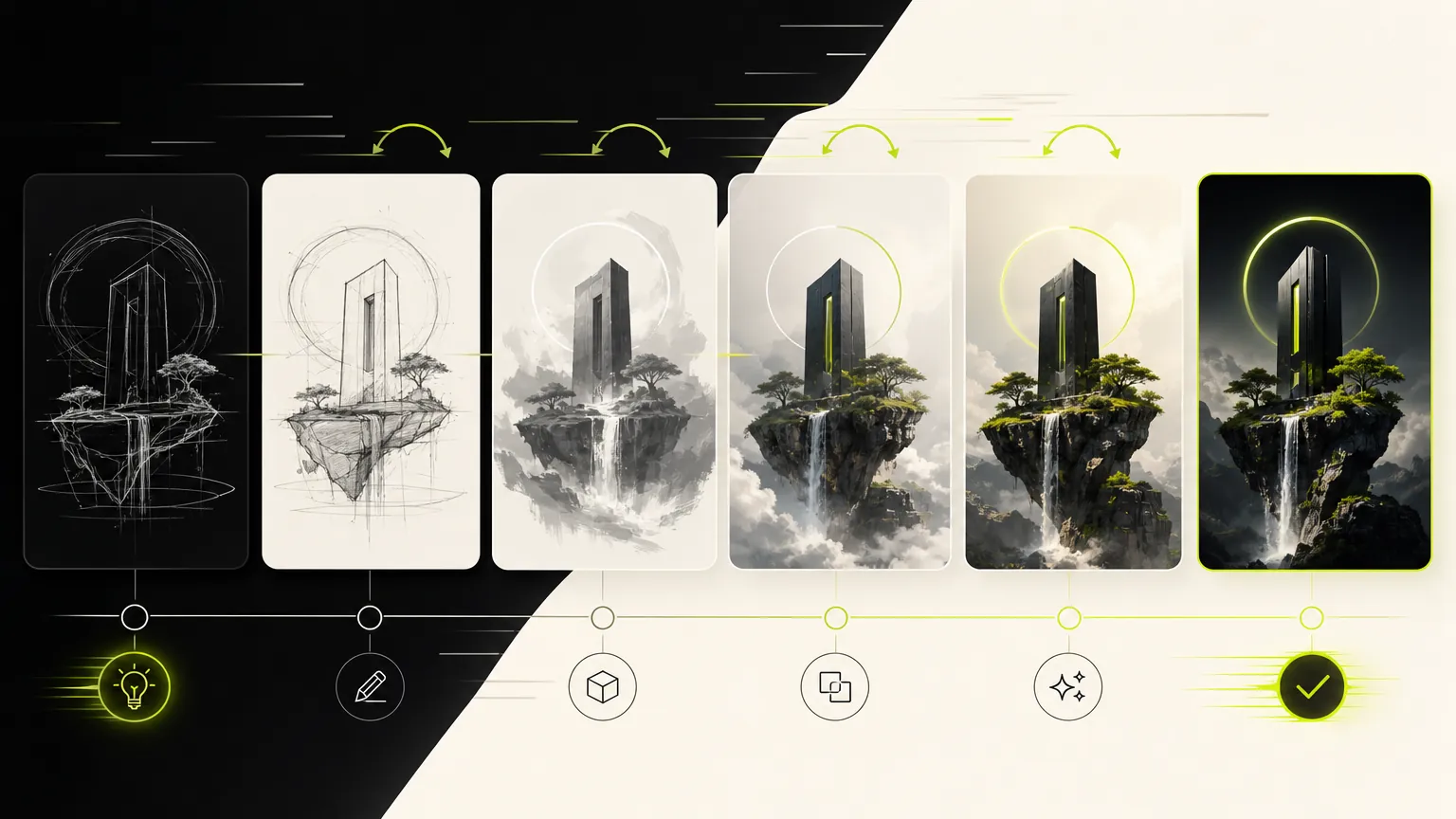
Google describes Nano Banana 2 as Gemini 3.1 Flash Image and highlights instruction following, subject consistency, readable text, translation, creative control, and support for multiple formats. On Wenimg, use the generator to test a prompt, reference image, aspect ratio, and resolution against your own task. The sections below explain the documented capabilities and show how to write a concrete brief.
A good Nano Banana 2 prompt should be written like a concise art direction ticket. Start with the output type: infographic, product photo, poster, comic panel, style test, or image edit. Then give the model the structure it needs: number of panels, reading direction, labels, subject position, aspect ratio, and what should stay consistent. If text appears inside the image, keep it short and explicitly state that it must be readable. If the prompt uses references, describe what should transfer from the reference and what should change. Google’s official examples are useful because they show concrete patterns: an educational water-cycle flat lay, a cloud comparison triptych, a location-aware museum image, and a character-preserving multi-panel travel collage. Each one has a clear purpose before it has a style.
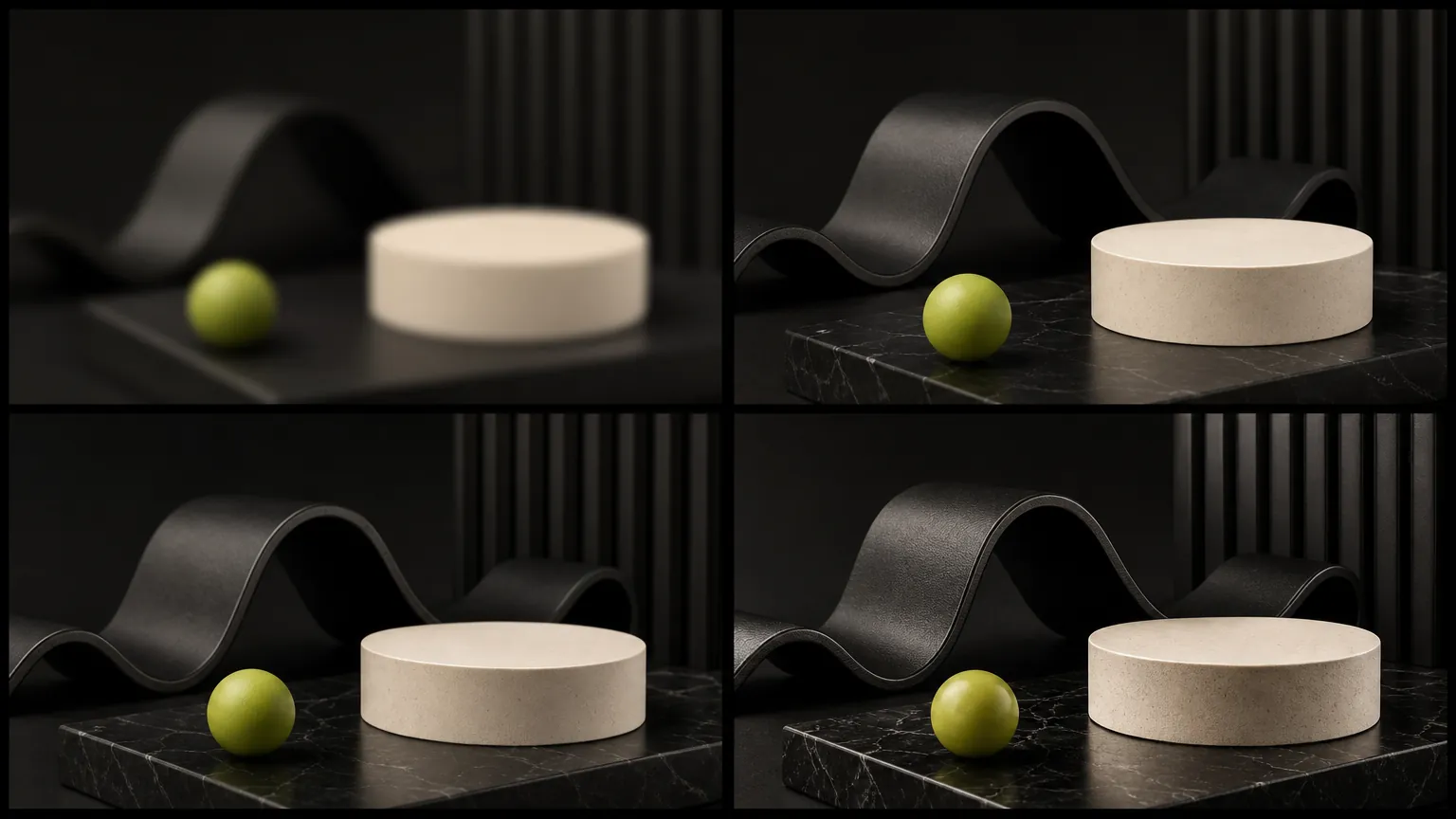
Use Nano Banana 2 when its supported inputs and controls match the task: prompt-led creation, reference-guided edits, and the available aspect-ratio or resolution options. Start with a draft, review the result, then adjust one part of the brief at a time. If another model is needed, compare the actual outputs and controls for your specific input rather than relying on a general ranking.
Use these checks before rewriting the whole prompt. A small, controlled correction makes it easier to see why a Nano Banana 2 result improved or drifted.
Move the required subject, format, and must-keep constraint to the start. Remove conflicting style instructions, then change one requirement per generation.
State exactly what the reference controls—identity, pose, layout, product shape, or style—and what Nano Banana 2 may change. Confirm the selected workflow accepts that reference input.
Shorten the copy, provide the exact wording, define the reading order, and describe the number and position of panels or text blocks before adding decorative style.
Choose the supported resolution or quality option that matches the final format. Fix composition at a lower-cost draft stage before requesting a larger final output.
Creator notes
Eight grounded snapshots from everyday image work—from quick social posts to client-ready drafts.
“Nano Banana 2 is the page we open when we need twenty ideas before lunch and do not want the tool getting in the way.”
 Leo KimPerformance Creative Lead
“It is especially strong for ad iteration. We can try multiple hooks, crops, and moods without losing momentum.”
 Sofia MalikSocial Content Designer
“For quick comps and client-facing options, Nano Banana 2 gives us the fastest path from prompt to usable visual.”
 Ben CarterCreative Producer
“It is ideal for testing multiple ad angles before we decide which visual deserves a higher-fidelity pass.”
Iris YamamotoPaid Social Manager“The page makes fast image exploration feel organized instead of scattered across random prompt attempts.”
 Mateo GarciaBrand Strategist
“Nano Banana 2 is our shortcut for turning a vague creative brief into several directions we can actually compare.”
 Chloe EvansContent Producer
“For product and category experiments, the fast loop matters more than a complicated settings panel.”
 Arjun MehtaMarketplace Founder
“The focused examples help us keep prompts short while still giving the model enough creative direction.”
 Grace TurnerStudio Designer
Use the categories as entry points for examples that reinforce Nano Banana 2 instead of scattering visitors across unrelated image-generation intents.
Use these checks before rewriting the whole prompt. A small, controlled correction makes it easier to see why a Nano Banana 2 result improved or drifted.
✦ Explore an image model in one workspace
Generate fast AI image variations with Nano Banana 2. Use prompts, reference images, ratios, and examples for ads, posters, products, and social visuals.
Start with Nano Banana 2