
Skip to content
Wenimg logoWenimg

Qwen Image 3.0 AI Image Generator

Generate and edit images with Qwen Image 3.0 from text prompts or reference images. Choose flexible aspect ratios and 1K or 2K output.

Max 3 reference files / JPG, PNG, WEBP, BMP, TIFF, GIF / 10MB each

0/20000

Planning notes

How to use Qwen Image 3.0

Generate and edit images with Qwen Image 3.0 from text prompts or reference images. Choose flexible aspect ratios and 1K or 2K output.

01Planning notes

What Qwen Image 3.0 is useful for

Qwen Image 3.0 is useful when the core task is image generation for one model rather than broad model comparison. Keep the prompt concrete: name the subject, output use, layout, style, reference requirements, and any constraints that should stay stable.


02Planning notes

How to brief Qwen Image 3.0

Start with the output goal, then add subject details, composition, lighting, aspect ratio, and reference-image rules. This keeps the model workflow focused and makes the generator easier to use.

03Planning notes

When to choose Qwen Image 3.0

Choose Qwen Image 3.0 when its supported controls and output profile match the job. If the result needs a different speed, quality, reference, or resolution tradeoff, compare another dedicated model page after saving the prompt structure.

Common Qwen Image 3.0 problems and fixes

Use these checks before rewriting the whole prompt. A small, controlled correction makes it easier to see why a Qwen Image 3.0 result improved or drifted.

The result ignores part of the brief

Move the required subject, format, and must-keep constraint to the start. Remove conflicting style instructions, then change one requirement per generation.

A reference image is not followed closely

State exactly what the reference controls—identity, pose, layout, product shape, or style—and what Qwen Image 3.0 may change. Confirm the selected workflow accepts that reference input.

Text or layout is hard to read

Shorten the copy, provide the exact wording, define the reading order, and describe the number and position of panels or text blocks before adding decorative style.

The output lacks usable detail

Choose the supported resolution or quality option that matches the final format. Fix composition at a lower-cost draft stage before requesting a larger final output.

Creator notes

Qwen Image 3.0 · The small details creators notice after the first result

Eight grounded snapshots from everyday image work—from quick social posts to client-ready drafts.

01
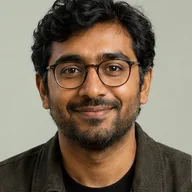
I came in for one quick product image and stayed to try three directions. The workflow never made me feel like I needed a tutorial first.
Maya R.E-commerce manager
02
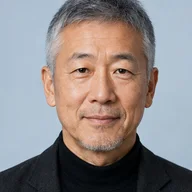
The controls are restrained in a good way. I can get a useful draft, download it, and finish the last ten percent in my usual design app.
Jon BellFreelance designer
03
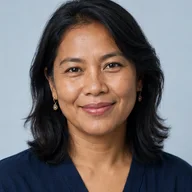
What won me over was consistency. I can repeat the same brief without rebuilding every setting from scratch.
Priya S.Content lead
04
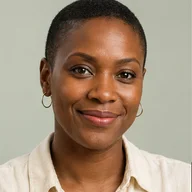
The first result is often close enough to start a real conversation with a client. That alone saves me a round of mood-board work.
Owen K.Independent maker
05
I tested it during a busy launch week. It was fast, clear, and I always knew what the next click would do.
Nina ParkSocial media editor
06
Being able to keep the source image visible matters to me. I can judge what changed instead of guessing from memory.
Luis M.Photographer
07
It feels designed for actual production work, not just a flashy demo. The examples are practical and the output is easy to hand off.
Sophie ChenBrand coordinator
08
I mostly use it for small weekly assets. It turns the blank-page moment into something I can react to in a couple of minutes.
Tom W.Newsletter creator
Prompt map

Qwen Image 3.0 prompt categories

Generate and edit images with Qwen Image 3.0 from text prompts or reference images. Choose flexible aspect ratios and 1K or 2K output.

Qwen Image 3.0 FAQ

Use these checks before rewriting the whole prompt. A small, controlled correction makes it easier to see why a Qwen Image 3.0 result improved or drifted.

Explore an image model in one workspace

Create your next idea with Qwen Image 3.0

Generate and edit images with Qwen Image 3.0 from text prompts or reference images. Choose flexible aspect ratios and 1K or 2K output.

Start with Qwen Image 3.0